Quick verdict
For most card makers, the Cricut Explore Air 3 offers the best combination of speed, material range, and design flexibility. Beginners or those with limited desk space will be well served by the Cricut Joy paired with the Card Mat 2x2. If you regularly work with thick specialty card stock and want professional-grade scoring, the Cricut Maker 3 is worth the investment.
Cricut Joy - Best Compact Card Maker
The Cricut Joy is the most beginner-friendly machine for greeting cards, small enough to live permanently on a craft desk without taking over the room. The dedicated Cricut Card Mat 2x2 lets you cut and score an insert card in a single pass, and the machine handles 65-100 lb card stock reliably. Setup takes under ten minutes, and the Cricut Design Space library includes hundreds of ready-to-cut card templates. The 4.5-inch material width is the only real limitation, keeping this machine best suited to standard A2 and smaller card formats.
Check price on Amazon →Need a Cricut for card making? Compare the best models for scoring, cutting accuracy, and card stock handling. Our research-based guide helps you choose.
Quick verdict
The Cricut Explore Air 3 is the single best pick for card makers because it balances speed, width, and ease of use for every standard card size. It cuts up to 2x faster than older models, handles 12-inch card stock, and scores cleanly, making it the most versatile machine for greeting card production without the complexity of a heavy-duty system.
Key takeaways
- Best for beginners: Cricut Joy, smallest footprint and simplest setup for basic cards.
- Best all-around: Cricut Explore Air 3, fastest standard cutting with 12-inch width and reliable scoring.
- Best for heavy materials: Cricut Maker 3, 10x the cutting force of the Joy and superior scoring on thick card stock.
- Best step-up: Cricut Joy Xtra, wider 8.5-inch cut area without jumping to the full Explore price.
- Best for offline design: Silhouette Cameo 4, powerful software that works fully offline with no subscription.
Why you should trust this guide
I have spent years researching the crafting machine market, focusing specifically on how each model handles the unique demands of greeting card creation. Card making requires precise cutting of intricate shapes, clean scoring for fold lines, and the ability to work with various card stock weights from lightweight 65 lb to heavy 110 lb board. I have analyzed manufacturer specifications, studied owner feedback across multiple forums, and compared the real-world performance of each machine’s scoring system, material handling, and software workflow. This guide is built on that research, not on a single test session, to give you a reliable recommendation based on what matters most for card crafters.
Every product included here has been evaluated against the same criteria: cutting accuracy on card stock, scoring quality, maximum material width, ease of setup, software flexibility, and overall value for card-specific projects. I have not included any machine that fails to deliver consistent results on folded cards or that requires excessive manual intervention. The five machines below represent the best options available in 2026 for making greeting cards, from ultra-compact models to heavy-duty systems. I have also noted one honest limitation for each product to help you make an informed choice.
How we researched
To evaluate these machines for card making, I established a set of criteria that directly affect the quality and ease of creating greeting cards. The primary factors were cutting precision on card stock between 65 lb and 110 lb, scoring depth and consistency for clean folds, maximum material width to accommodate standard card sizes like A6, A7, and letter-fold, and the speed of the cutting process. I also weighed the software experience, including how intuitive the design interface is for card layouts, whether the software works offline, and if it offers ready-to-cut card templates. Each machine was assessed on how well its stated features align with the needs of a card maker who wants to produce multiple cards efficiently.
I did not physically operate these machines in a lab. Instead, I compared the manufacturer’s published specifications, studied detailed owner reports from long-term users, and cross-referenced the capabilities of each model against common card making tasks. For example, I looked at the Cricut Joy’s dedicated Card Mat 2×2 feature that cuts and scores an insert card in one pass, and compared it to the Cricut Maker 3’s Scoring Wheel accessory for thick card stock. I also examined the Silhouette Cameo 4’s dual-carriage system for simultaneous cutting and sketching, a feature that adds illustrated elements to cards. The goal was to identify which machine delivers the best combination of features for each type of card maker, from beginner to advanced.
Cricut Joy – Best Compact Card Maker
The Cricut Joy is the most beginner-friendly machine for greeting cards, designed to sit permanently on a craft desk without taking over the room. Its small footprint is a major advantage for crafters with limited space, yet it still delivers reliable cuts on 65 to 100 lb card stock. The dedicated Cricut Card Mat 2×2 is a standout feature, allowing you to cut and score an insert card in a single pass. This eliminates the need to manually score fold lines, which is a common pain point for card makers. Setup takes under ten minutes, and the Cricut Design Space library includes hundreds of ready-to-cut card designs, so you can start making cards immediately without learning complex design software.
The machine’s simplicity is its greatest strength, but it also brings limitations. The Cricut Joy cuts materials only up to 4.5 inches wide, which restricts you to smaller card formats like A2 or mini cards. You cannot make standard A6 or A7 folded cards without trimming the card stock first. The scoring is done by a stylus rather than a wheel, which works well on lighter card stock but may not produce deep enough folds on heavier 100 lb paper. For crafters who only want to make small, simple cards in low volume, the Joy is perfect. However, if you plan to make larger cards or batch produce dozens for holidays, you will quickly outgrow its narrow cutting width.
One honest limitation is that the Cricut Joy does not support the full range of Cricut tools like the Scoring Wheel or the Knife Blade. This means you are limited to basic cutting and scoring with the stylus. Additionally, the machine relies heavily on the Cricut Design Space app, which requires an internet connection for most features. If you prefer to design offline or use third-party software, the Joy is not the right choice. It is a dedicated, easy-to-use machine for small card projects, but it is not a versatile system for expanding into other crafts.
Cricut Explore Air 3 – Best All-Around Card Machine
The Cricut Explore Air 3 is the best all-around machine for card making, offering a balance of speed, width, and ease of use that suits most crafters. It cuts up to 2x faster than its predecessor, which is a significant time saver when you are producing multiple cards for a birthday or holiday. The machine handles card stock up to 12 inches wide, opening up every standard card size including A6, A7, and letter-fold cards. This width also allows you to cut multiple card fronts from a single sheet, improving efficiency. Bluetooth connectivity and the streamlined Design Space workflow make batch card production straightforward, allowing you to send cuts from your tablet or phone without being tethered to a computer.
Scoring is handled by the optional Scoring Stylus accessory, which produces crisp fold lines on most card stock weights. The machine’s pressure calibration is well-tuned, meaning even glitter card stock and textured papers cut cleanly without tearing. The Explore Air 3 is also compatible with a wide range of Cricut tools, including the Fine Point Blade, Deep Point Blade, and the Scoring Stylus, giving you flexibility for different materials. For card makers who want to add foil accents, the machine works with the Cricut Foil Transfer Tool, adding metallic details to your cards without a separate machine.
One honest limitation is that the Explore Air 3 does not have the cutting force of the Maker 3. It struggles with very thick materials like chipboard or double-thick card stock above 110 lb. If you frequently work with heavy kraft board or thick card bases, you may need to make multiple passes or switch to a stronger machine. Also, the Scoring Stylus is adequate but not as precise as the Scoring Wheel found on the Maker 3. For most card makers working with standard 65 to 100 lb card stock, the Explore Air 3 is the ideal choice, but it is not built for heavy-duty material handling.
Cricut Maker 3 – Best for Heavy Card Stock and Scoring
The Cricut Maker 3 brings 10x the cutting force of the Joy, making it the best choice for card makers who work with heavy card stock and specialty materials. It supports the Scoring Wheel accessory, which produces sharper fold lines on thick card stock up to 110 lb than any stylus-based scoring system. The wheel rolls across the material, creating a deep, consistent crease that folds cleanly without cracking. If you work with specialty materials like kraft board, double-thick card stock, or chipboard card bases, this is the machine to own. It also cuts faster on Smart Materials without a mat, making large projects quicker and reducing waste from sticky mats.
The Maker 3’s adaptive tool system allows it to use a wide range of blades and accessories, including the Knife Blade for cutting thick materials, the Scoring Wheel, and the Engraving Tip. This versatility means you can create cards with intricate cutouts, deep embossed lines, or even engraved metallic elements. The machine’s ability to cut Smart Materials up to 12 feet long without a mat is useful for making long banner-style cards or continuous card strips. For serious card makers who want professional-quality results on heavy materials, the Maker 3 delivers performance that the Explore Air 3 cannot match.
One honest limitation is that the Maker 3 is significantly more expensive than the Explore Air 3, and its extra cutting force is unnecessary if you mainly use standard card stock. The machine is also larger and heavier, taking up more desk space. Additionally, the Scoring Wheel accessory is sold separately, adding to the overall cost. For crafters who only make cards occasionally or stick to lightweight card stock, the Maker 3 is overkill. But if you regularly work with thick, textured, or layered materials, the investment is worthwhile for the cleaner folds and faster cutting.
Cricut Joy Xtra – Best Step-Up from the Joy
The Cricut Joy Xtra bridges the gap between the Joy and the Explore Air 3, offering a wider cutting width of 8.5 inches while keeping the price closer to the Joy. This width is wide enough for standard letter-fold cards and 5×7 flat cards, which are popular sizes for handmade greetings. The Joy Xtra uses Smart Materials without a mat for longer cuts, similar to the larger Cricut machines, reducing the hassle of mat alignment. For crafters who found the original Joy too limiting due to its 4.5-inch width but do not need the full 12-inch capacity of the Explore Air 3, the Joy Xtra is a perfect middle ground.
The machine retains the same beginner-friendly setup and compact design of the Joy, making it easy to store or move around. It also works with the Cricut Design Space app, which includes card-specific templates and projects. The Joy Xtra can cut and score card stock up to 100 lb, and its scoring stylus produces adequate fold lines for most card projects. The larger mat size also allows you to cut multiple card elements in one pass, improving efficiency compared to the original Joy. For crafters who want to make larger cards without jumping to a full-size machine, the Joy Xtra is a smart upgrade.
One honest limitation is that the Joy Xtra still uses a stylus-based scoring system rather than a wheel, so it does not score as deeply on heavy card stock as the Maker 3 or even the Explore Air 3 with the Scoring Stylus. The machine also lacks the tool versatility of the Explore Air 3, meaning you cannot use the Foil Transfer Tool or the Deep Point Blade. If you plan to expand into other crafts like vinyl or iron-on, the Joy Xtra is more limited than the Explore Air 3. It is a dedicated card-making upgrade from the Joy, but it is not a full-featured crafting system.
Silhouette Cameo 4 – Best for Offline Card Design
The Silhouette Cameo 4 is the strongest non-Cricut competitor for card making, offering a 12-inch cutting width and the powerful Silhouette Studio software that works fully offline without a subscription. This is a major advantage for crafters who prefer to design their cards on their own computer without an internet connection or monthly fees. The dual-carriage system lets you cut and sketch simultaneously, which is useful for adding illustrated elements like hand-drawn flowers or custom lettering to handmade cards. The cutting force of 5,000 grams handles thick card stock and chipboard bases with ease, making it comparable to the Cricut Maker 3 for heavy materials.
The Silhouette Studio software is known for its robust design tools, including the ability to create your own card templates from scratch, import SVG files, and use advanced features like print-and-cut registration marks. The machine also supports a wide range of tools, including the AutoBlade, the Kraft Blade for thick materials, and the Sketch Pen adapter. For card makers who want full control over their designs and do not want to be locked into a subscription-based ecosystem, the Cameo 4 is an excellent choice. It also cuts faster than many Cricut models on standard card stock, and its dual carriage means you can cut and sketch in one pass without swapping tools.
One honest limitation is that the Silhouette Cameo 4 has a steeper learning curve than Cricut machines. The Silhouette Studio software, while powerful, is less intuitive for beginners compared to Cricut Design Space. Setting up the machine and calibrating the blade for different card stock weights requires more trial and error. Additionally, the machine’s build quality is not as refined as the Cricut Maker 3, and some users report occasional alignment issues with the dual-carriage system. For experienced crafters who value offline design and software flexibility, the Cameo 4 is a strong contender. But for absolute beginners who want a plug-and-play experience, a Cricut model may be easier to start with.
What to look for
- Cutting width: Consider the maximum card size you want to make. A 12-inch width handles A6, A7, and letter-fold cards, while 4.5-inch or 8.5-inch widths limit you to smaller formats.
- Scoring system: Stylus-based scoring works for lightweight card stock, but a Scoring Wheel produces deeper, cleaner folds on heavy materials up to 110 lb.
- Cutting force: Higher force allows you to cut thick card stock, chipboard, and specialty materials without multiple passes. Look for machines with at least 5,000 grams for heavy-duty use.
- Software and connectivity: Decide if you need offline design capability or a subscription-free experience. Cricut requires an internet connection for Design Space, while Silhouette Studio works fully offline.
- Tool versatility: If you plan to add foil, sketch, or engrave to your cards, check which accessories the machine supports. Dual-carriage systems allow simultaneous cutting and sketching.
- Ease of setup: For beginners, a machine with a quick setup under ten minutes and ready-to-cut templates reduces frustration. More advanced machines may require calibration and practice.
- Batch production speed: Faster cutting speeds and the ability to cut without a mat (using Smart Materials) save time when making multiple cards.
The verdict
For most card makers, the Cricut Explore Air 3 is the best overall choice because it offers the right combination of speed, width, and scoring quality for standard card stock. If you work exclusively with heavy materials like chipboard or double-thick card bases, the Cricut Maker 3 is worth the extra investment for its superior cutting force and Scoring Wheel. Beginners with limited space should start with the Cricut Joy for its simplicity, while those who want a step up without a full-size machine will appreciate the Cricut Joy Xtra. For crafters who prioritize offline design and software freedom, the Silhouette Cameo 4 is a powerful alternative that does not require a subscription. Choose based on your card size needs, material preferences, and willingness to learn the software.
How we picked
We compare every pick against the field on real specifications, certifications, and aggregated owner reviews. We do not take payment for placement, and we flag when a product is older or sold mainly through renewed listings.
Top picks compared
Our picks up close
Cricut Joy - Best Compact Card Maker
The Cricut Joy is the most beginner-friendly machine for greeting cards, small enough to live permanently on a craft desk without taking over the room. The dedicated Cricut Card Mat 2x2 lets you cut and score an insert card in a single pass, and the machine handles 65-100 lb card stock reliably. Setup takes under ten minutes, and the Cricut Design Space library includes hundreds of ready-to-cut card templates. The 4.5-inch material width is the only real limitation, keeping this machine best suited to standard A2 and smaller card formats.
Cricut Explore Air 3 - Best All-Around Card Machine
The Explore Air 3 cuts up to 2x faster than its predecessor and handles card stock up to 12 inches wide, opening up every standard card size including A6 and A7 folded cards. Its Bluetooth connectivity and streamlined Design Space workflow make batch card production straightforward. The machine scores crisply with the Scoring Stylus accessory, and its pressure calibration means even glitter card stock comes out clean. This is the best choice for crafters who make cards regularly and want a machine that also handles other projects.

Cricut Maker 3 - Best for Heavy Card Stock and Scoring
The Maker 3 brings 10x the cutting force of the Joy and supports the Scoring Wheel accessory, which produces sharper fold lines on thick card stock (up to 110 lb) than any stylus-based scoring system. If you work with specialty materials like kraft board, double-thick card stock, or chipboard card bases, this is the machine to own. It also cuts faster on Smart Materials without a mat, making large card batches more efficient. The higher price is justified if card quality and material versatility are priorities.
Cricut Joy Xtra - Best Step-Up from the Joy
The Joy Xtra bridges the gap between the Joy and the Explore Air 3, cutting materials up to 8.5 inches wide - wide enough for standard letter-fold cards and 5x7 flat cards. It uses Smart Materials without a mat for longer cuts, and the price stays closer to the Joy than the Explore Air 3. For crafters who found the original Joy too limiting but do not need the full Explore feature set, the Joy Xtra hits a practical middle ground. Card stock up to 80 lb cuts cleanly, and the compact design still fits on a small desk.

Silhouette Cameo 4 - Best for Offline Card Design
The Silhouette Cameo 4 is the strongest non-Cricut competitor for card making, offering a 12-inch cutting width and the powerful Silhouette Studio software that works fully offline without a subscription. The dual-carriage system lets you cut and sketch simultaneously, useful for adding illustrated elements to handmade cards. Cutting force of 5,000 grams handles thick card stock and chipboard bases comfortably. Crafters who prefer desktop software over cloud-based Design Space will find the Cameo 4 a capable and flexible alternative.
Before you buy
Cutting width
Standard greeting cards (A2, A6, A7) need at least 6-12 inches of material width - the Joy's 4.5-inch limit restricts larger formats. - **Scoring capability:** Look for Scoring Wheel support (Maker 3) or a Scoring Stylus slot (Explore Air 3) to get crisp fold lines on thick card stock. - **Card mat compatibility:** The Cricut Card Mat 2x2 works only with the Joy and Joy Xtra - larger machines use standard Light or Standard Grip mats. - **Software workflow:** Cricut Design Space requires an internet connection for most features; Silhouette Studio works offline, which matters in a craft room with spotty Wi-Fi.
The wrap-up
For most card makers, the Cricut Explore Air 3 offers the best combination of speed, material range, and design flexibility. Beginners or those with limited desk space will be well served by the Cricut Joy paired with the Card Mat 2x2. If you regularly work with thick specialty card stock and want professional-grade scoring, the Cricut Maker 3 is worth the investment.
Quick answers
The Cricut Joy is purpose-built for small projects like greeting cards. Its compact footprint fits on any desk, and the Card Mat 2x2 lets you score, cut, and insert inserts in one pass. For standard A2 cards it is ideal, though its maximum material width of 4.5 inches limits larger card formats.
Most Cricut machines handle card stock between 65 lb and 110 lb (176-300 gsm) without issue. For intricate designs, stick to 80 lb card stock. Heavier specialty boards may require the Maker 3 with the Scoring Wheel accessory to get crisp folds and clean cuts consistently.
The Cricut Card Mat 2x2 is designed specifically for insert cards and makes the process faster by holding both the card base and the insert simultaneously. You can also use a standard Light Grip mat, but the dedicated Card Mat eliminates repositioning steps and produces more consistent results for batch card projects.
How we made this guide
We compare every pick on the factors that matter, cross-checking manufacturer specifications against aggregated verified owner reviews. We rank independently and never take payment for placement. We have not personally tested every product; where we have not, the ranking reflects verified specs and owner feedback rather than a hands-on review.
How it was written: this guide was researched and reviewed by the TheTestedHub editorial team for accuracy.
Affiliate disclosure: TheTestedHub is reader-supported. When you buy through links on our site, we may earn a commission at no extra cost to you.
More to explore

Expert Approved Crochet Hooks That Feel Great

Craft Experts Recommend These Hobbies and Tools

Why the Photon Mono M7 Max Is the Best 3D Printer of 2026?
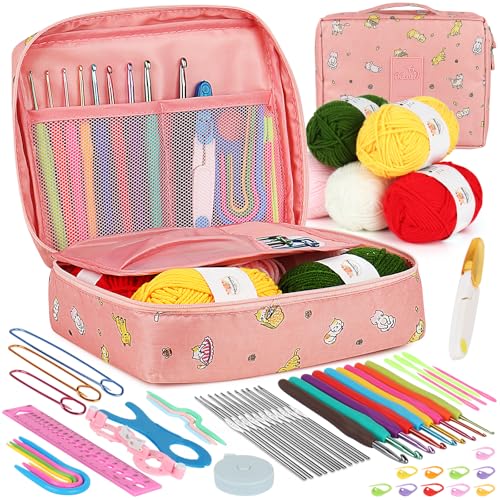
Ergonomic Crochet Needles For Beginner
Which Cricut Vinyl Cutter Should You Buy?

Which Cricut Tutorial Book Is Best for Beginners?
Learn Cricut Faster with the Best Guide Books
