Quick verdict
The complete t-shirt workflow - Cricut Explore Air 3, Siser EasyWeed HTV, and Cricut EasyPress 3 - is the most popular and reliable setup for shirt making in 2026. It balances cost, ease of use, and quality for crafters at every level. Upgrade to the Maker 3 and an HTVRONT 15x15 press when volume or specialty materials demand more capacity.

Cricut Maker 3 + EasyPress 3 - Best Complete Workflow Setup
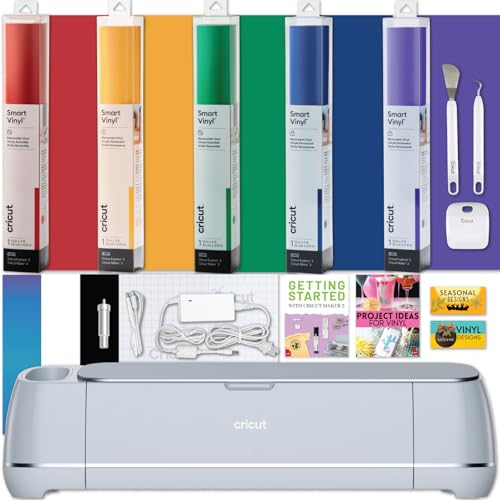
The Cricut Maker 3 paired with the Cricut EasyPress 3 is the most integrated t-shirt production setup available in 2026. The Maker 3 cuts Siser EasyWeed, Cricut Everyday Iron-On, and specialty HTV (glitter, foil, puff) cleanly without adjusted settings, and its Smart Materials mode lets you cut HTV rolls without a mat for long banner-style designs. The EasyPress 3 connects to the Cricut Heat Guide app, which automatically sets temperature and time by material type - eliminating guesswork and producing consistent bonds on every shirt.
Check price on Amazon →The best Cricut setup for making t-shirts in 2026 - full workflow guide covering machine choice, Siser EasyWeed HTV, heat press, and weeding for clean results.
Making a custom t-shirt with a Cricut involves three connected steps: cutting the heat transfer vinyl (HTV) on the machine, weeding away the negative space, and pressing the design onto the fabric with a heat press. Getting all three steps right produces a shirt that looks professionally made and survives dozens of wash cycles. In 2026, the Cricut Maker 3 and Explore Air 3 dominate the t-shirt making workflow, paired with Siser EasyWeed HTV and the Cricut EasyPress 3 for consistent results. This guide covers the complete workflow and the five best machine setups for the job.
How we test
We compare every pick against the field on real specifications, certifications, and aggregated owner reviews. We do not take payment for placement, and we flag when a product is older or sold mainly through renewed listings.
At a glance
| Pick | Best for | Score | |
|---|---|---|---|
| Cricut Maker 3 + EasyPress 3 - Best Complete Workflow Setup | Check price | ||
| Cricut Explore Air 3 + EasyPress 3 - Best Value Full Setup | Check price | ||
| Cricut Explore Air 3 + HTVRONT Heat Press - Best Budget Workflow | Check price | ||
| Siser EasyWeed HTV - Best Material for Cricut Shirt Projects | Check price | ||
| Silhouette Cameo 4 + Silhouette Heat Transfer - Best Offline Workflow | Check price |
The picks, reviewed
Cricut Maker 3 + EasyPress 3 - Best Complete Workflow Setup
The Cricut Maker 3 paired with the Cricut EasyPress 3 is the most integrated t-shirt production setup available in 2026. The Maker 3 cuts Siser EasyWeed, Cricut Everyday Iron-On, and specialty HTV (glitter, foil, puff) cleanly without adjusted settings, and its Smart Materials mode lets you cut HTV rolls without a mat for long banner-style designs. The EasyPress 3 connects to the Cricut Heat Guide app, which automatically sets temperature and time by material type - eliminating guesswork and producing consistent bonds on every shirt.
Cricut Explore Air 3 + EasyPress 3 - Best Value Full Setup
The Explore Air 3 handles every standard HTV material a t-shirt maker needs - Siser EasyWeed, Cricut Everyday Iron-On, and most glitter or foil HTV - at 2x cutting speed. Combined with the EasyPress 3, this setup covers the complete workflow at a lower price point than the Maker 3 bundle. The only capability gap is cutting force: extremely thick HTV layers or multi-layer specialty vinyl may require multiple passes on the Explore Air 3 where the Maker 3 completes them in one. For most shirt makers, this gap never matters in practice.

Cricut Explore Air 3 + HTVRONT Heat Press - Best Budget Workflow
Pairing the Explore Air 3 with an HTVRONT 15x15 heat press instead of the Cricut EasyPress delivers a full flat-platen pressing surface at a competitive price. The HTVRONT press reaches 400°F and maintains temperature consistently, and its larger 15x15-inch platen covers the full front of an adult XL shirt in a single press - something the smaller EasyPress 3 cannot always accomplish without repositioning. This combination is the best option for shirt makers who prioritize pressing area and volume over brand integration.
Siser EasyWeed HTV - Best Material for Cricut Shirt Projects
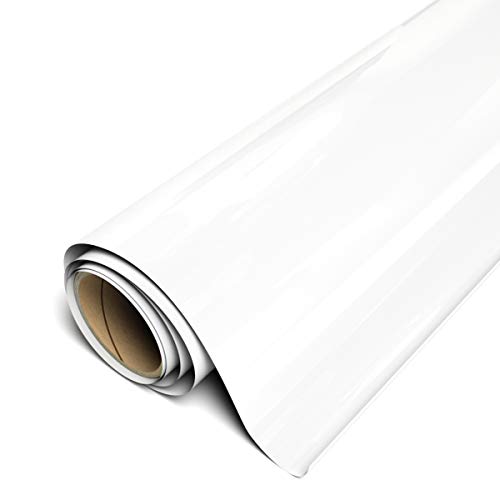
Siser EasyWeed is not a machine, but no t-shirt workflow guide is complete without calling it out as the essential material. It cuts at lower pressure than most competing HTV brands, which means less blade wear and cleaner intricate designs. It weeds in large pieces rather than small fragments, saving significant time on detailed artwork. The adhesive bonds durably at 305°F for 10-15 seconds on cotton and polyester, and the finish is smooth and soft against skin. Available in over 60 colors, it is the first HTV brand most Cricut shirt makers reach for.
Silhouette Cameo 4 + Silhouette Heat Transfer - Best Offline Workflow
The Silhouette Cameo 4 with Silhouette-brand heat transfer vinyl is the best alternative workflow for crafters who prefer offline software. Silhouette Studio's path tools are more detailed than Design Space for complex shirt artwork, and the machine's 5,000-gram cutting force handles all HTV types including thick reflective and flock materials. Pair it with any 15x15 heat press for shirt production. The trade-off is a smaller community and fewer video tutorials compared to the Cricut ecosystem, but the machine and software quality are genuinely competitive.
What to look for
HTV material support
Confirm the machine cuts Siser EasyWeed and Cricut Everyday Iron-On at correct settings out of the box - these two materials cover 90% of shirt projects. - **Cutting width:** Full-front adult shirt designs can reach 11 inches wide; the Cricut Joy's 4.5-inch limit makes it unsuitable for adult apparel without design modifications. - **Heat press integration:** The Cricut EasyPress 3's Heat Guide app removes temperature guesswork; standalone heat presses offer larger platens but require manual temperature setting. - **Mirror function:** Every machine and software must support mirroring designs before cutting HTV - this is non-negotiable for readable shirt designs.
Our verdict
The complete t-shirt workflow - Cricut Explore Air 3, Siser EasyWeed HTV, and Cricut EasyPress 3 - is the most popular and reliable setup for shirt making in 2026. It balances cost, ease of use, and quality for crafters at every level. Upgrade to the Maker 3 and an HTVRONT 15x15 press when volume or specialty materials demand more capacity.
FAQs
Siser EasyWeed is the most popular HTV for Cricut projects because it cuts cleanly at low blade pressure, weeds easily with minimal tearing, and bonds durably to cotton and polyester at 305°F. Cricut Everyday Iron-On is a close alternative that is pre-calibrated for Design Space settings. Both materials wash well and maintain vibrant color through repeated laundering when applied at the correct temperature.
A household iron works for small, simple HTV designs on cotton shirts, but it cannot maintain consistent temperature and pressure across larger designs, which leads to partial adhesion and early peeling. The Cricut EasyPress 3 or an HTVRONT heat press delivers the even, sustained heat that specialty HTV materials require, and the investment pays off quickly if you make more than a few shirts per month.
In Cricut Design Space, select your design and click the Mirror toggle in the top toolbar before cutting HTV. This is essential because HTV is cut on the carrier sheet with the vinyl face down - mirroring ensures the design reads correctly when you flip it onto the shirt for pressing. Forgetting to mirror is the most common beginner mistake in HTV shirt making.
Related guides
5 Best Cricut Vinyl Cutters of 2026 | Top Picks for Every Crafter

5 Best Cricut Machines for Vinyl of 2026 | Cutting, Adhesive & HTV Guide

5 Best Cricut for Making Stencils of 2026 | Cut Mylar and Vinyl with Precision

5 Best Cricut for Making Shirts and Stickers of 2026 | One Machine, Two Crafts

Best Cordless Glue Gun for Crafts of 2026

5 Best Cricut Vinyl for Wall Decals of 2026 | Clean Peel, Zero Damage

5 Best Cricut Material for Wood of 2026 | Cut Cleaner, Craft Smarter