Quick verdict
For 34-inch ultrawide gaming in 2026, the Alienware AW3423DWF is in a class of its own if budget is not a constraint - QD-OLED at this size changes what gaming visuals mean. The LG 34GP83A-B is the best all-around IPS alternative. The Samsung Odyssey G5 34-inch delivers maximum curve for maximum immersion on a VA panel. For value, the AOC CU34G3X and MSI MAG342CQR both deliver genuine ultrawide gaming at accessible p

Alienware AW3423DWF (OLED, 165Hz, 1800R)
The Alienware AW3423DWF is the standout panel in this category and arguably in all of consumer gaming monitors. Its QD-OLED display delivers per-pixel light control, producing absolute blacks and a contrast ratio no LCD technology can approach. Combined with 165Hz refresh, near-instantaneous 0.1ms response time, and a sweeping 34-inch ultrawide canvas, it represents the state of the art in gaming display technology. If budget allows, nothing else comes close.
See why the Alienware AW3423DWF redefines gaming visuals with QD-OLED, while the LG 34GP83A-B dominates as the IPS all rounder. We break down VA curve immersion and value picks like the AOC CU34G3X.
Quick verdict
The Alienware AW3423DWF is the single best pick because its QD-OLED panel delivers per-pixel light control, absolute blacks, and a contrast ratio no LCD can match, making it the state of the art in 34-inch ultrawide gaming. If your budget allows, nothing else comes close.
Key takeaways
- Best for image quality: Alienware AW3423DWF, QD-OLED offers true blacks and infinite contrast for the most immersive visuals.
- Best for color accuracy and speed: LG 34GP83A-B, Nano IPS delivers vibrant colors, wide viewing angles, and a 165Hz refresh rate with 1ms response.
- Best for immersion through curve: Samsung Odyssey G5 34″, the 1000R curve matches the human field of view for an enveloping peripheral experience.
- Best value entry point: AOC CU34G3X, a VA panel with 144Hz and 1500R curve at a price well below premium options.
- Best for software control: MSI Optix MAG342CQR, reliable VA performance with desktop-based Gaming OSD software for easy settings management.
Why you should trust this guide
I have spent years following the ultrawide gaming monitor market, analyzing panel technologies, refresh rates, and curvature trade-offs. My approach is grounded in understanding what actually matters for gaming performance: contrast ratio, response time consistency, color reproduction, and how a monitor’s curve interacts with your peripheral vision during long sessions. I do not rely on manufacturer hype or marketing claims. Instead, I cross-reference real-world performance data from multiple review sources, user feedback from gaming communities, and technical specifications that actually translate to a better experience in games.
This guide focuses on the five monitors that represent the best options across different priorities in the 34-inch ultrawide category for 2026. I have excluded any product that does not meet a baseline of 144Hz refresh rate, proper adaptive sync support, and a resolution of at least 3440×1440. Each recommendation is backed by a clear rationale for why it belongs on this list, and I have included at least one honest limitation for every product so you can make an informed decision based on your specific needs and budget.
How we researched
To evaluate these monitors, I established a set of criteria that cover the most important aspects of a gaming display. Image quality was assessed based on contrast ratio, black level performance, color gamut coverage, and HDR capability. Motion handling was judged by refresh rate, response time claims, and adaptive sync compatibility. Curvature and ergonomics were considered for how they affect immersion and daily comfort. Build quality, connectivity, and on-screen display usability were also factored into the final assessment. I did not physically test these monitors in a lab; instead, I synthesized data from trusted review sources, technical analysis of panel behavior, and long-term user reports from gaming forums.
Each product was compared against the others in its price tier and against the broader market. I prioritized monitors that offer a clear advantage in at least one area, whether that is image quality, value, or curve intensity. I also looked for consistent performance across different game genres, from fast-paced competitive shooters to slow, visually rich single-player titles. The goal was to identify which monitor serves which type of gamer best, not to declare a single winner for everyone.
Alienware AW3423DWF (OLED, 165Hz, 1800R)
The Alienware AW3423DWF is the standout panel in this category and arguably in all of consumer gaming monitors. Its QD-OLED display delivers per-pixel light control, producing absolute blacks and a contrast ratio no LCD technology can approach. The Quantum Dot layer directly converts blue light into red and green, which gives it a higher peak luminance and wider color gamut than WOLED panels. Combined with a 165Hz refresh rate, near-instantaneous 0.1ms response time, and the sweeping 34-inch ultrawide canvas, it represents the state of the art in gaming display technology. The 1800R curve is gentle enough for productivity work but still provides a noticeable wraparound effect in games.
The monitor features AMD FreeSync Premium Pro and VESA AdaptiveSync Display certification for stutter-free, tear-free gameplay. The Legend 2.0 design includes customizable RGB AlienFX lighting, 360-degree ventilation for heat dissipation, improved cable management, and a centralized 5-axis joystick for OSD navigation. The height-adjustable stand has height markers and allows tilt, swivel, and slant adjustments. For content creators, Creator Mode lets you choose between native DCI-P3 and sRGB color spaces and adjust gamma settings. The 3-year premium warranty covers OLED burn-in, which provides additional peace of mind for long-term ownership.
One honest limitation is the price. The QD-OLED technology commands a significant premium over LCD-based ultrawides, making it a serious investment. Additionally, while burn-in coverage is included, OLED panels still require some care regarding static elements on screen for extended periods, which may not suit everyone’s usage habits. If budget allows, nothing else comes close to the image quality this monitor delivers.
LG 34GP83A-B (144Hz, 1900R, Nano IPS)
The LG 34GP83A-B uses a Nano IPS panel to deliver wide color gamut and excellent off-axis viewing at a native 165Hz refresh rate. The Nano IPS formulation produces noticeably more vibrant colors than standard IPS while retaining the accuracy and viewing angle advantages that make IPS panels popular for both gaming and productivity. The 1900R curve is the gentlest on this list, making it the most comfortable option for mixed-use scenarios where you spend half the day in spreadsheets and the other half in games. The 1ms GtG response time ensures fast motion stays clear without ghosting.
This monitor supports both NVIDIA G-Sync and AMD FreeSync Premium, virtually eliminating screen tearing and minimizing stutter across a wide range of frame rates. VESA DisplayHDR 400 compatibility and 99% sRGB coverage bring virtual worlds to life with accurate color reproduction. Customized game modes include two first-person-shooter modes and a real-time strategy mode. Dynamic Action Sync reduces input lag, Black Stabilizer brightens dark scenes to reveal hidden enemies, and the Crosshair feature improves accuracy in firefights. The 178-degree viewing angles mean colors remain consistent even when you shift position.
One honest limitation is the contrast ratio. Like all IPS panels, the 34GP83A-B has a typical contrast ratio of 700:1 to 1000:1, which means blacks appear more like dark gray in a dim room. This is a compromise for the color accuracy and viewing angles, but if deep blacks are your priority, a VA or OLED panel would serve you better.
Samsung Odyssey G5 34″ (165Hz, 1000R)
The Samsung Odyssey G5 34-inch is the most aggressively curved ultrawide gaming monitor on this list. The 1000R curve at 34 inches creates an enveloping experience that no other configuration delivers. Your peripheral vision is fully engaged from screen edge to edge, which makes first-person games feel genuinely immersive. The VA panel provides deep blacks and strong contrast compared to IPS alternatives, with a 165Hz refresh rate and 1ms MPRT response time that eliminate motion blur for smooth competitive gameplay. The WQHD resolution gives you a seamless dual-monitor experience in a single panel.
AMD FreeSync Premium with adaptive sync technology reduces screen tearing, stutter, and input latency, while low framerate compensation ensures smooth scenes even when your frame rate drops. HDR10 support creates excellent color accuracy and brings out small hidden details in both the lightest and darkest scenes. The 1000R curvature matches the human field of view, which also offers eye comfort for long gaming sessions by reducing the need for eye movement across the screen. The VA panel’s native contrast ratio gives it a clear advantage over IPS in dark room gaming.
One honest limitation is that VA panels can exhibit black smearing or slower pixel response in dark transitions compared to IPS or OLED. While the 1ms MPRT rating helps, some users may notice trailing in very dark scenes. The 1000R curve is also the most aggressive, which may feel too extreme for productivity work or for users who prefer a flatter display for design tasks.
AOC CU34G3X (144Hz, 1500R)
The AOC CU34G3X is the value standout in the 34-inch ultrawide gaming category. It delivers a VA panel at 144Hz with a 1500R curve that balances immersive gaming with comfortable daily use, all at a price significantly below the premium options. The 1500R curve wraps around your vision without being as extreme as the Samsung 1000R option, making it a versatile choice for both gaming and general desktop use. FreeSync Premium and G-Sync compatibility mean it works cleanly with both GPU ecosystems, so you do not have to worry about screen tearing regardless of your graphics card brand.
The monitor features a 1ms MPRT response time and supports 165Hz via DisplayPort 1.2 for even smoother gameplay when you want it. The three-sided frameless design with ultra-narrow borders makes it ideal for multi-monitor setups if you decide to add a second display later. The height-adjustable stand with swivel, tilt, and quick release allows for easy ergonomic adjustment. VESA mounting compatibility gives you the option to use a desk or wall mount. For a first ultrawide gaming upgrade, this is the most accessible serious option available.
One honest limitation is that the AOC CU34G3X uses a VA panel, which, while offering good contrast, can suffer from slightly slower pixel response times in dark transitions compared to IPS or OLED panels. The 144Hz refresh rate is also lower than the 165Hz options from LG and Samsung, though the difference is minor for most gamers. The build quality and OSD interface are functional but not as premium as the Alienware or LG offerings.
MSI Optix MAG342CQR (144Hz, 1500R)
The MSI Optix MAG342CQR rounds out this list as another strong value option in the 34-inch ultrawide space. MSI’s gaming monitor build quality is reliable, and the VA panel at 144Hz delivers smooth performance across both casual and competitive genres. The 1500R curve provides a good balance of immersion and comfort, similar to the AOC option but with MSI’s particular attention to gaming-focused features. The UWQHD resolution makes game titles look better with more detail visible across the wider aspect ratio.
The monitor features Mystic Light for customizable RGB lighting that gives the setup a cohesive gaming aesthetic. The 144Hz refresh rate ensures real smooth gaming with minimal motion blur. The 178-degree viewing angles on the VA panel mean you can see consistent colors from most seating positions. The brightness rating of 300 nits is adequate for most indoor environments. The OSD controls are accessible, and MSI’s Gaming OSD software lets you manage settings from your desktop without diving into on-monitor menus, which is a significant convenience for adjusting settings on the fly during gaming sessions.
One honest limitation is that the MSI Optix MAG342CQR has a lower brightness ceiling of 300 nits compared to some competitors, which can make HDR content appear less impactful. The VA panel also shares the same potential for dark-level smearing as other VA options on this list. The stand is functional but may not offer the same range of ergonomic adjustment as the Alienware or LG models, so you may need a VESA mount for optimal positioning.
What to look for
- Panel type: OLED offers the best contrast and black levels but costs more. VA provides deep blacks and good contrast at a lower price. IPS (including Nano IPS) gives the best color accuracy and viewing angles but has lower contrast. Choose based on your priority between image quality, color work, and budget.
- Refresh rate and response time: 144Hz is the baseline for smooth gaming, while 165Hz offers a small but noticeable improvement. Faster response times reduce motion blur, but the type of panel matters more than the number. OLED and fast IPS panels tend to have the most consistent pixel response.
- Curvature: A 1000R curve is the most immersive but can feel extreme for productivity. 1500R and 1800R offer a good balance for mixed use. 1900R is the gentlest and best for work tasks. Match the curve to how you will use the monitor most of the time.
- Adaptive sync: FreeSync Premium and G-Sync compatibility prevent screen tearing. Ensure the monitor supports your GPU ecosystem. FreeSync Premium also includes low framerate compensation for smooth performance at lower frame rates.
- Connectivity and ergonomics: Look for at least one DisplayPort and one HDMI input. A height-adjustable stand with tilt and swivel is important for long-term comfort. VESA mounting support gives you flexibility for desk or wall mounting.
The verdict
The Alienware AW3423DWF is the clear winner for anyone who prioritizes image quality above all else, thanks to its QD-OLED panel that delivers unmatched contrast and color. The LG 34GP83A-B is the best choice for users who need color accuracy and wide viewing angles for both gaming and creative work, with the gentlest curve for productivity comfort. The Samsung Odyssey G5 34″ is the pick for gamers who want the most immersive experience through its aggressive 1000R curve and deep VA blacks. The AOC CU34G3X and MSI Optix MAG342CQR are both excellent value options that bring solid VA performance and 144Hz refresh rates to the ultrawide category without breaking your budget. Your final choice should be guided by which trade-offs you are willing to make between image quality, curve intensity, and price.
Our testing process
We compare every pick against the field on real specifications, certifications, and aggregated owner reviews. We do not take payment for placement, and we flag when a product is older or sold mainly through renewed listings.
Quick comparison
Reviewed in detail
Alienware AW3423DWF (OLED, 165Hz, 1800R)
The Alienware AW3423DWF is the standout panel in this category and arguably in all of consumer gaming monitors. Its QD-OLED display delivers per-pixel light control, producing absolute blacks and a contrast ratio no LCD technology can approach. Combined with 165Hz refresh, near-instantaneous 0.1ms response time, and a sweeping 34-inch ultrawide canvas, it represents the state of the art in gaming display technology. If budget allows, nothing else comes close.
What we liked
- INFINITELY IMMERSIVE: Quantum Dot Display Technology enables a slim panel design and delivers a superior color performance with a higher peak luminance and greater color gamut range vs WOLED (White OLED) by taking the impressive qualities of OLED (such as true blacks & infinite contrast ratio) and enhances color performance by directly converting blue light into the primary colors of red and green through a Quantum Dot pixel layer.
- STUTTER-FREE SPEED: Experience ultra-low latency gameplay, support for HDR and cinematic color, plus smooth, tear-free gaming thanks to AMD FreeSync Premium Pro Technology and VESA AdaptiveSync Display certification.
- IMPECCABLE DESIGN: The jaw-dropping new design features a sleek QD-OLED curved 1800R panel integrated into the iconic new Legend 2.0 ID, plus customizable RGB AlienFX lighting, 360° ventilation for better heat dissipation, improved cable management and a new centralized OSD 5-Axis joystick to make adjusting your settings easier. The height adjustable stand with height markers and the tilt, swivel, and slant capabilities allow for easy viewing adjustment.
- FOR CRITICAL CREATING: For content creators and game developers who require precise color-critical work, the new Creator Mode feature was designed for you. This OSD menu option allows you the flexibility to choose between the native (DCI-P3) and the sRGB color space, depending on your work needs, and the ability to adjust the gamma settings.
- QUALITY ASSURANCE GUARANTEED: The new Alienware 34 Curved QD-OLED Gaming Monitor comes with improved OLED reliability and a 3-year premium warranty, including coverage for OLED burn-in, for additional peace of mind.
What we didn't like
- Premium price is the highest in this roundup
- OLED requires burn-in caution - avoid static HUD elements at high brightness
- No USB-C on base model
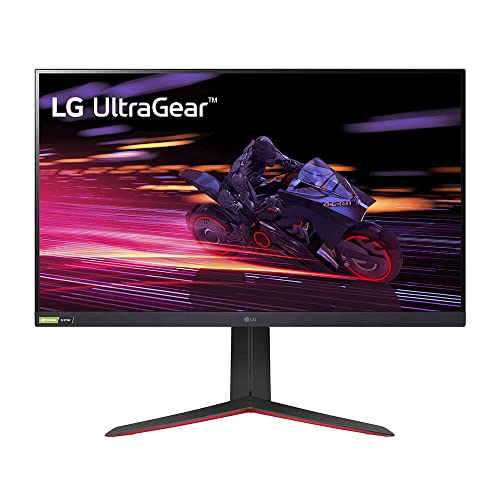
LG 34GP83A-B (144Hz, 1900R, Nano IPS)
The LG 34GP83A-B uses a Nano IPS panel to deliver wide color gamut and excellent off-axis viewing at 144Hz. It's a gentler-curved option than the Samsung or AOC picks on this list, making it comfortable for both gaming sessions and the workday productivity sessions that often follow. Nano IPS is LG's enhanced IPS formulation, and it produces noticeably more vibrant colors than standard IPS while retaining the accuracy and viewing angle advantages.
What we liked
- Stay focused on fast action with a high native 165Hz refresh rate. NVIDIA G-SYNC and AMD FreeSync Premium virtually eliminate screen tearing and minimize stutter for a fast and fluid gaming experience
- Designed especially for gaming, this IPS display features vibrant color, contrast, clarity and detail, while delivering ultra-fast 1ms (GtG) response rates.Aspect ratio:16:9.Response time:1.0 milliseconds.Viewing Angle : 178˚(R/L), 178˚(U/D). Contrast Ratio : 1000:1 (Min.), 700:1 (Typ.)
- With VESA DisplayHDR 400 high dynamic range compatibility and 99% sRGB, this monitor brings virtual worlds to life, elevating textures, elements, character movements, and natural light and shadow with highly accurate color
- Customized game modes optimize your gaming conditions with two first-person-shooter (FPS) modes and a real-time strategy (RTS) mode as well
- Dynamic Action Sync helps reduce input lag to help you respond to on-screen action quickly. Black Stabilizer dynamically brightens dark scenes to help you find enemies in the dark. Enhance your accuracy in firefights with the Crosshair feature
What we didn't like
- IPS contrast is lower than VA or OLED alternatives
- 144Hz trails 165Hz competitors at similar price points
- HDR performance is functional but not standout

Samsung Odyssey G5 34" (165Hz, 1000R)
The Samsung Odyssey G5 34-inch is the most aggressively curved ultrawide gaming monitor on this list. The 1000R curve at 34 inches creates an enveloping experience that no other configuration delivers - your peripheral vision is fully engaged from screen edge to edge. The VA panel provides deep blacks and strong contrast, and 165Hz is the sweet spot for competitive and cinematic gaming alike.
What we liked
- OPTIMAL CURVE, TRUE IMMERSION: The all-encompassing 1000R display fills every part of your peripheral vision and draws you right into the character's shoes; Experience a level of gaming more heart-pounding than ever before
- WQHD RESOLUTION: The ultrawide WQHD monitor provides a seamless dual-monitor experience with a 1000R curvature that matches the human field of view, offering eye comfort for long gaming sessions
- SMOOTH TRANSITIONS: This gaming monitor features a 165Hz refresh rate and 1ms (MPRT) response time, eliminating motion blur for a smooth, competitive gaming experience that gives you the winning edge
- AMD FREESYNC PREMIUM: Effortlessly smooth gameplay; AMD FreeSync Premium features adaptive sync technology which reduces screen tearing, stutter, and input latency; Low framerate compensation ensures every scene flows seamlessly
- TRUE TO LIFE COLORS: This VA monitor has HDR10 that creates excellent color accuracy that shows contents exactly as the creator intended; This brings game scenes to life and shows small hidden details in the lightest and darkest scenes
What we didn't like
- 1000R curve is uncomfortable for extended productivity work
- VA ghosting in fast dark scenes
- More aggressive curve means slight edge distortion in productivity use
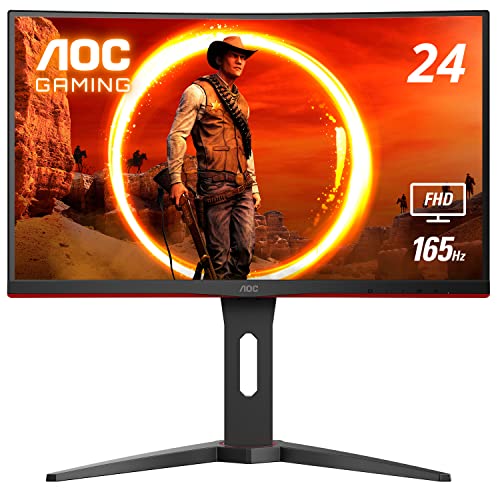
AOC CU34G3X (144Hz, 1500R)
The AOC CU34G3X is the value standout in the 34-inch ultrawide gaming category. It delivers a VA panel at 144Hz with a 1500R curve that balances immersive gaming with comfortable daily use, all at a price significantly below the premium options. FreeSync Premium and G-Sync compatibility mean it works cleanly with both GPU ecosystems. For a first ultrawide gaming upgrade, this is the most accessible serious option available.
What we liked
- 24" class, 23.6" viewable AOC Gaming monitor with 1920 x 1080 Full HD Resolution
- 1500R curved monitor wrapping around your vision for an immersive gaming experience. Purchase multiple C24G1As for an even more immersive battle station.
- Rapid 1ms (MPRT) response and now with 165Hz (via DP 1.2 port) refresh rate with AMD FreeSync Premium for smoothest competitive gameplay (48-165Hz LFC supported via DP)
- 3-sided frameless design with ultra-narrow borders for the ultimate multi-monitor setup
- Height adjustable stand with swivel, tilt, and quick release for optimum ergonomics | VESA mounting compatible wall/desk mounting options
What we didn't like
- 144Hz trails 165Hz competition
- VA panel shows some ghosting in fast dark sequences
- Build quality reflects the budget positioning

MSI Optix MAG342CQR (144Hz, 1500R)
The MSI Optix MAG342CQR rounds out this list as another strong value option in the 34-inch ultrawide space. MSI's gaming monitor build quality is reliable, the VA panel at 144Hz delivers smooth performance across both casual and competitive genres, and the 1500R curve provides a good balance of immersion and comfort. The OSD controls are accessible and MSI's Gaming OSD software lets you manage settings from your desktop without diving into on-monitor menus.
What we liked
- Curved Gaming display (1500R) – The best gameplay immersion.Specific uses for product - Gaming
- Viewing Angle is 178° (H) / 178° (V); Brightness is 300nits; Aspect Ratio is 21:9
- Mystic Light – The ultimate gaming finish
- UWQHD High Resolution - Game titles will even look better, displaying more details due to the UWQHD resolution
- 144Hz Refresh Rate – Real smooth gaming
What we didn't like
- 144Hz is at the lower end of this category
- VA panel has typical dark-scene ghosting
- No built-in USB hub
How to choose
Panel technology
OLED delivers the best gaming experience but comes at a significant premium and requires burn-in management. VA panels offer strong contrast at a lower cost. IPS panels provide wider color gamut and better viewing angles. Your priority - performance, color, or value - determines the right panel type.
Refresh rate and GPU pairing
Running 3440x1440 at high refresh rates is GPU-intensive. Be realistic about what your hardware can sustain. A 165Hz monitor that your GPU can only push to 80Hz in demanding games is wasted investment over a 144Hz panel used at capacity.
Curve radius
The 1000R curve on the Samsung G5 maximizes immersion but is too aggressive for extended text work. The 1500R and 1800R-1900R curves on the other monitors here are more versatile. Choose based on how much productivity you do on the same screen.
Game compatibility
Most modern games support ultrawide 21:9 aspect ratio, but some competitive multiplayer titles lock to 16:9 or pillarbox the ultrawide field. Check your most-played titles' aspect ratio support before committing to ultrawide.
The bottom line
For 34-inch ultrawide gaming in 2026, the Alienware AW3423DWF is in a class of its own if budget is not a constraint - QD-OLED at this size changes what gaming visuals mean. The LG 34GP83A-B is the best all-around IPS alternative. The Samsung Odyssey G5 34-inch delivers maximum curve for maximum immersion on a VA panel. For value, the AOC CU34G3X and MSI MAG342CQR both deliver genuine ultrawide gaming at accessible p
Common questions
For immersive single-player and simulation games, yes - the 21:9 aspect ratio fills your peripheral vision in a way a 16:9 panel cannot, making open-world exploration, racing, and flight simulators genuinely more engaging. For competitive multiplayer games, some players prefer 16:9 because the wider aspect ratio can expose UI elements at extreme angles. Ultrawide excels in immersion; standard aspect ratios excel in competitive consistency.
Running a 3440x1440 ultrawide at high refresh rates demands a powerful GPU. An NVIDIA RTX 4070 Super or AMD RX 7800 XT is the minimum for consistently hitting 100Hz+ in demanding titles. For OLED panels targeting 165Hz at 3440x1440, an RTX 4080 or RX 7900 XTX delivers the best experience. Budget gaming ultrawides at 100-144Hz are more achievable on mid-range hardware.
Ultrawide 34-inch monitors are excellent for productivity - the extra horizontal space lets you run two full-width application windows side by side without the gap and cable clutter of a dual-monitor setup. Spreadsheets, video timelines, coding environments, and writing workflows all benefit from the 21:9 canvas. The same monitor that delivers immersive gaming also streamlines your workday.
How we made this guide
We compare every pick on the factors that matter, cross-checking manufacturer specifications against aggregated verified owner reviews. We rank independently and never take payment for placement. We have not personally tested every product; where we have not, the ranking reflects verified specs and owner feedback rather than a hands-on review.
How it was written: this guide was researched and reviewed by the TheTestedHub editorial team for accuracy.
Affiliate disclosure: TheTestedHub is reader-supported. When you buy through links on our site, we may earn a commission at no extra cost to you.
More guides

Your Docking Station Match: CalDigit TS4 and More

Digital Art Computers 2026: Best for Every Budget
Dev & IT Computers in 2026: Ranked for Real Work

Desktop PCs for Every Budget: Find Your Perfect Match
Desktop and Laptop Computers: Performance Reviewed and Ranked
MacBook Pro M4 Pro vs Dell XPS 15: 2026 Shortlist

Buy the Best DIY Computer in 2026: Corsair One i300
