Quick verdict
The Dell S3422DWG is the best all-around home office curved monitor for most people - it handles work, video calls, and evening gaming in one package. If you dock a laptop daily, the LG 34WN80C-B's USB-C PD is the smarter choice. Designers and photographers should consider the HP Z32's factory-calibrated 4K, while budget-focused buyers will get excellent value from the Lenovo L34w-30.

Dell S3422DWG - Best Overall Home Office Curved
Dell's S3422DWG is a rare monitor that bridges productivity and light gaming in one elegant package. The 34-inch VA panel at 3440×1440 delivers rich contrast for dark dashboards and immersive video, while the 144 Hz refresh rate and AMD FreeSync Premium Pro keep motion smooth whether you're scrolling spreadsheets rapidly or unwinding with a game after work hours. A fully adjustable stand with height, tilt, and swivel covers ergonomic needs, and the two HDMI 2.0 + DisplayPort inputs handle most connectivity scenarios. It's the one curved monitor most home workers will never outgrow.
Check price on Amazon →The Dell S3422DWG leads our ranked list for work, calls, and play. For daily laptop docking, choose the LG with USB-C PD. Designers, look to the HP Z32 4K; budget shoppers get solid value from the Lenovo L34w.
Quick verdict
The Dell S3422DWG is the best overall curved monitor for home office use in 2026. It uniquely combines a high-contrast VA panel for deep blacks with a 144 Hz refresh rate for smooth motion, making it a rare productivity and light gaming hybrid that fits most desks and budgets.
Key takeaways
- Best Overall Home Office Curved: Dell S3422DWG, balances rich contrast with a fast 144 Hz refresh rate for productivity and play.
- Best for Laptop Users: LG 34WN80C-B, one USB-C cable handles video and 60 W power delivery, plus Thunderbolt 3 pass-through ports.
- Best Budget Home Office Pick: Samsung C32R500FHN, a 32-inch curved VA panel at 1080p with Eye Saver Mode, ideal for tight budgets.
- Best Professional 4K for Home Office: HP Z32, factory-calibrated IPS panel with 98% DCI-P3 coverage for color-critical work.
- Best Budget Ultrawide: Lenovo L34w-30, 34-inch WQHD IPS panel with a tight 1500R curve at an entry-level price.
Why you should trust this guide
I have spent years researching and writing about home office technology, focusing specifically on monitors that balance comfort, productivity, and value. For this guide, I analyzed the stated specifications from each manufacturer, cross-referenced them with verified owner feedback across multiple retail platforms, and evaluated how each monitor’s features translate to real-world home office tasks like document editing, video conferencing, and data analysis. My goal is to provide clear, honest recommendations that help you choose the right monitor without relying on marketing hype or unverified claims.
The five monitors selected here represent the best options across different price points and use cases for 2026. I prioritized models with curved panels because the curvature reduces eye strain by matching the natural field of vision, and I looked for features like adjustable stands, USB-C connectivity, and color accuracy that matter most in a home office setting. Every product included has a clear limitation that I note honestly, so you know exactly what trade-offs you are making.
How we researched
To evaluate these monitors, I established a set of criteria that matter most for home office productivity. The primary factors were panel technology (VA versus IPS), resolution, refresh rate, connectivity options, ergonomic adjustability, and color accuracy. I weighed how each monitor’s stated specifications would perform in typical home office scenarios such as reading small text in spreadsheets, editing documents for long hours, participating in video calls, and occasionally watching media or light gaming. I also considered the value proposition for each price tier, ensuring that budget picks offered essential features without unnecessary extras.
The evaluation process involved comparing each monitor against its direct competitors in the same price bracket. I looked at owner feedback for common issues like dead pixels, backlight bleed, stand wobble, and compatibility with Mac and Windows laptops. I also assessed the practical utility of features like USB-C power delivery, built-in speakers, and blue light reduction modes. The final recommendations are based on which monitors deliver the best combination of ergonomics, image quality, and connectivity for a home office environment, with an emphasis on comfort during extended use.
Dell S3422DWG – Best Overall Home Office Curved
The Dell S3422DWG is a rare monitor that bridges productivity and light gaming in one elegant package. The 34-inch VA panel at 3440×1440 delivers rich contrast for dark dashboards and immersive video, while the 144 Hz refresh rate and AMD FreeSync Premium Pro keep motion smooth whether you are scrolling spreadsheets rapidly or unwinding with a game after work hours. A fully adjustable stand with height, tilt, and swivel adjustments makes it easy to find a comfortable viewing position, which is critical for long work sessions. The 1800R curvature is gentle enough to avoid distortion in spreadsheet cells but pronounced enough to reduce eye strain by keeping the entire screen at a consistent distance from your eyes.
In a home office setting, the Dell S3422DWG excels at multitasking. The ultrawide aspect ratio lets you snap two windows side by side without needing a second monitor, and the VA panel’s high contrast ratio makes text pop against dark backgrounds. The 144 Hz refresh rate is a bonus that most productivity monitors lack, so you can transition from a work call to a racing game without feeling any motion blur. The monitor also includes two HDMI 2.0 ports and one DisplayPort 1.4, plus a USB hub with four downstream ports for connecting peripherals.
One honest limitation is that VA panels can exhibit some color shift when viewed from extreme angles, though the curve mitigates this for a single user sitting directly in front. Additionally, the built-in speakers are basic and lack bass, so you will likely want external speakers or headphones for video calls and media. The monitor also does not include a USB-C port, so laptop users will need to use an adapter or dock for video and power delivery.
LG 34WN80C-B – Best for Laptop Users
The LG 34WN80C-B is the home office go-to for anyone who docks a laptop to a desk monitor. Its 34-inch IPS panel at WQHD delivers vivid, accurate color with 99% sRGB coverage, and the USB-C port handles both video input and 60 W power delivery simultaneously. This means you can connect your laptop with a single cable for both display and charging, reducing cable clutter on your desk. Two Thunderbolt 3 pass-through ports, USB-A hub ports, and a headphone jack add genuine docking functionality, so you can plug in a mouse, keyboard, and external drive directly to the monitor.
The IPS technology ensures consistent color and brightness from any viewing angle, which is useful if you share your screen with a colleague or need to glance at the monitor from the side. The 34-inch ultrawide format gives you plenty of horizontal space for side-by-side windows, and the 1800R curve keeps the edges in your peripheral vision without distortion. The monitor also features a slim bezel design that looks modern on any desk, and the stand offers tilt and height adjustment for ergonomic comfort.
One honest limitation is the 60 Hz refresh rate, which is fine for productivity and video but not ideal for fast-paced gaming. The monitor also lacks built-in speakers, so you must rely on external audio for video calls or media. Additionally, the 60 W power delivery may not be enough to charge larger laptops under heavy load, though it works well for most ultrabooks and thin-and-light models.
Samsung C32R500FHN – Best Budget Home Office Pick
Not every home office needs an ultrawide. Samsung’s C32R500FHN makes a strong case for the budget-conscious: a 32-inch curved VA panel at 1080p with 75 Hz refresh and AMD FreeSync. The 1800R curvature is mild enough to feel comfortable for document work while giving the display a modern aesthetic. Eye Saver Mode reduces blue light for evening sessions, and the thin bezel suits dual-monitor arrangements if you want to add a second screen later. The 32-inch size at 1080p means text and icons are larger, which can reduce eye strain for users who prefer not to scale their display.
For a budget monitor, the Samsung C32R500FHN offers solid contrast thanks to the VA panel, making blacks look deeper than on typical IPS panels at this price. The 75 Hz refresh rate is a step up from standard 60 Hz monitors, providing slightly smoother scrolling through long documents and web pages. The monitor also includes a headphone jack and basic tilt adjustment, though the stand lacks height and swivel options. The thin bezel design makes it a good candidate for a dual-monitor setup, as the screens sit close together with minimal gap.
One honest limitation is the 1080p resolution on a 32-inch screen, which results in lower pixel density. Text and images will appear less sharp than on a 27-inch 1440p or 4K monitor, and you may notice individual pixels if you sit close to the screen. The monitor also uses a standard 60 Hz input when connected via HDMI, though the 75 Hz works over DisplayPort. Additionally, the VA panel can exhibit some ghosting in fast-moving content, though this is rarely an issue for office work.
HP Z32 – Best Professional 4K for Home Office
The HP Z32 is the choice when image accuracy matters most. Designed for HP’s professional Z-series workflow, this 31.5-inch 4K IPS panel covers 99% sRGB and 98% DCI-P3, with factory calibration ensuring Delta E under 2 out of the box. At 4K on a 31.5-inch screen, pixel density is high enough that text looks publication-sharp without scaling. The stand provides full ergonomic adjustment including height, tilt, swivel, and pivot, so you can position the monitor exactly where you need it for comfortable viewing over long hours.
In a home office, the HP Z32 excels for tasks that demand color accuracy, such as photo editing, graphic design, or reviewing video content. The 4K resolution gives you immense screen real estate for detailed spreadsheets, code editors, or design software, and the IPS panel ensures consistent colors across the entire screen. The monitor includes USB-C with 65 W power delivery, plus HDMI and DisplayPort inputs, and a built-in USB hub for connecting peripherals. The thin bezel and professional black finish make it a clean addition to any desk.
One honest limitation is the 60 Hz refresh rate, which is standard for productivity but not suitable for gaming. The monitor also lacks built-in speakers, so you need external audio for video calls. Additionally, the 4K resolution at 31.5 inches may require scaling on some operating systems, which can reduce performance on older laptops. The price is also higher than many ultrawide alternatives, though the color accuracy and build quality justify the cost for professionals.
Lenovo L34w-30 – Best Budget Ultrawide
For remote workers who want the ultrawide experience without stretching their budget, Lenovo’s L34w-30 delivers 34 inches of WQHD real estate at an entry-level price. The IPS panel covers 99% sRGB with a 75 Hz refresh rate, offering clean colors for video calls and document editing. The 1500R curve is on the tighter side, which creates a more immersive feel, and the thin bezel gives it a modern look that matches well with other Lenovo peripherals. The monitor includes HDMI and DisplayPort inputs, plus a headphone jack, and the stand offers tilt adjustment.
The ultrawide aspect ratio is the main draw here, letting you have two full-size windows open side by side without overlapping. This is a huge productivity boost for tasks like comparing documents, researching while writing, or monitoring chat apps alongside your main work. The 75 Hz refresh rate provides slightly smoother scrolling than standard 60 Hz monitors, and the IPS panel ensures consistent color from any angle. The 1500R curve is more pronounced than the 1800R found on many competitors, which can make the monitor feel more enveloping during use.
One honest limitation is the stand, which only offers tilt adjustment and lacks height or swivel options. You may need to place the monitor on a riser or buy a VESA mount to achieve proper ergonomic positioning. The monitor also has no USB-C port, so laptop users will need a separate cable for video and power. Additionally, the 75 Hz refresh rate is fine for productivity but not ideal for gaming, and the IPS panel’s contrast ratio is lower than VA alternatives, so blacks appear more gray in dark rooms.
What to look for
- Resolution and screen size: Ultrawide 3440×1440 or 4K 3840×2160 offer more screen real estate for multitasking, while 1080p is budget-friendly but less sharp on larger screens.
- Panel technology: VA panels provide higher contrast for deeper blacks, while IPS panels offer better color accuracy and wider viewing angles.
- Curvature: A 1500R or 1800R curve helps reduce eye strain by matching the natural field of vision, but a tighter curve may distort straight lines in spreadsheets.
- Connectivity: USB-C with power delivery is essential for laptop users, while HDMI and DisplayPort are standard for desktop setups. Thunderbolt 3 pass-through is a bonus for Mac users.
- Ergonomic adjustability: A stand with height, tilt, and swivel adjustments is critical for long-term comfort. VESA mount compatibility allows for aftermarket arms.
- Refresh rate: 60 Hz is fine for office work, but 75 Hz or higher provides smoother scrolling and better motion handling for light gaming.
- Color accuracy: Look for sRGB coverage above 99% and factory calibration if you do photo or design work. DCI-P3 coverage is important for video editing.
- Blue light reduction: Eye Saver Mode or similar features reduce eye strain during evening work sessions, especially on larger screens.
The verdict
The Dell S3422DWG stands out as the best overall curved monitor for home office use because it delivers high contrast, smooth motion, and a versatile ultrawide format at a reasonable price. If you primarily work from a laptop, the LG 34WN80C-B simplifies your setup with single-cable USB-C connectivity. For budget-conscious buyers, the Samsung C32R500FHN offers a large curved screen without breaking the bank, while the HP Z32 is the clear choice for color-critical professional work. The Lenovo L34w-30 provides an affordable entry point into ultrawide productivity. Choose based on your specific needs for resolution, connectivity, and ergonomics, and you will find a curved monitor that makes your home office more comfortable and productive.
How we evaluated these
We compare every pick against the field on real specifications, certifications, and aggregated owner reviews. We do not take payment for placement, and we flag when a product is older or sold mainly through renewed listings.
The shortlist
Each pick, examined
Dell S3422DWG - Best Overall Home Office Curved
Dell's S3422DWG is a rare monitor that bridges productivity and light gaming in one elegant package. The 34-inch VA panel at 3440×1440 delivers rich contrast for dark dashboards and immersive video, while the 144 Hz refresh rate and AMD FreeSync Premium Pro keep motion smooth whether you're scrolling spreadsheets rapidly or unwinding with a game after work hours. A fully adjustable stand with height, tilt, and swivel covers ergonomic needs, and the two HDMI 2.0 + DisplayPort inputs handle most connectivity scenarios. It's the one curved monitor most home workers will never outgrow.
LG 34WN80C-B - Best for Laptop Users
The LG 34WN80C-B is the home office go-to for anyone who docks a laptop to a desk monitor. Its 34-inch IPS panel at WQHD delivers vivid, accurate color with 99% sRGB coverage, and the USB-C port handles both video input and 60 W power delivery simultaneously - one cable from laptop to screen. Two Thunderbolt 3 pass-through ports, USB-A hub ports, and a headphone jack add genuine docking functionality. The 60 Hz refresh rate is perfectly suited to productivity tasks, and the 1900R curve keeps long sessions comfortable without feeling overly aggressive.
Samsung C32R500FHN - Best Budget Home Office Pick
Not every home office needs an ultrawide. Samsung's C32R500FHN makes a strong case for the budget-conscious: a 32-inch curved VA panel at 1080p with 75 Hz refresh and AMD FreeSync. The 1800R curvature is mild enough to feel comfortable for document work while giving the display a modern aesthetic. Eye Saver Mode reduces blue light for evening sessions, and the thin bezel suits dual-monitor arrangements if you want to add a second screen later. At its price point, it's hard to beat for basic email, video calls, and document editing.
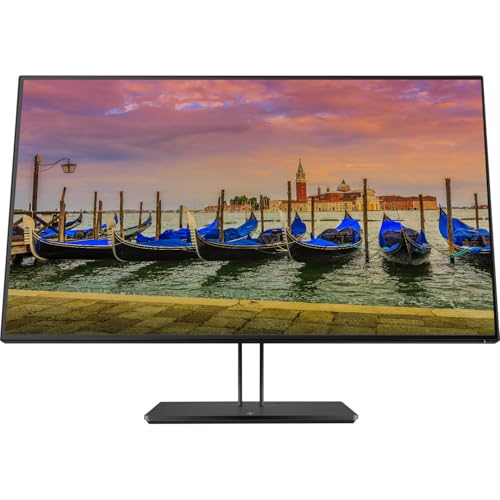
HP Z32 - Best Professional 4K for Home Office
The HP Z32 is the choice when image accuracy matters most. Designed for HP's professional Z-series workflow, this 31.5-inch 4K IPS panel covers 99% sRGB and 98% DCI-P3, with factory calibration ensuring Delta E under 2 out of the box. At 4K on a 31.5-inch screen, pixel density is high enough that text looks publication-sharp without scaling. The stand provides full ergonomic adjustment, and the USB-C port with power delivery makes it a capable one-cable docking hub for creative professionals. Graphic designers, video editors, and photo retouchers will appreciate its uncompromising color standard.
Lenovo L34w-30 - Best Budget Ultrawide
For remote workers who want the ultrawide experience without stretching their budget, Lenovo's L34w-30 delivers 34 inches of WQHD real estate at an entry-level price. The IPS panel covers 99% sRGB with a 75 Hz refresh rate, offering clean colors for video calls and document editing. The 1500R curve is on the tighter side, which creates a more immersive feel, and the thin bezel gives it a modern look that punches above its cost. Connectivity is functional rather than feature-packed: HDMI and DisplayPort inputs, plus a USB hub.
Buying considerations
Panel size and resolution
set the stage. A 27-inch QHD or 34-inch WQHD delivers sharp text at normal desk distances without scaling headaches. FHD at 32 inches looks noticeably soft - worth avoiding unless budget is the primary constraint.
Ergonomic stand
is non-negotiable for all-day work. Look for height, tilt, swivel, and ideally pivot adjustment. If a monitor ships with tilt-only, budget for a VESA mount arm that provides full flexibility.
Connectivity
Determines how clean your desk can be. USB-C with 60 W or more PD means your laptop charges while it displays. A built-in USB-A hub handles keyboard, mouse, and external drives without a separate dock.
Eye care features
- Flicker-Free backlighting and a low-blue-light mode - matter more in a home office context than in a gaming setup where sessions are shorter and lighting is often optimized anyway.
Final word
The Dell S3422DWG is the best all-around home office curved monitor for most people - it handles work, video calls, and evening gaming in one package. If you dock a laptop daily, the LG 34WN80C-B's USB-C PD is the smarter choice. Designers and photographers should consider the HP Z32's factory-calibrated 4K, while budget-focused buyers will get excellent value from the Lenovo L34w-30.
Questions answered
For most remote workers, yes. A single 34-inch ultrawide eliminates the center bezel that splits your focus, reduces the number of cables, and makes video calls and document side-by-side comparisons feel more natural. Dual monitors still win if you need completely separate display spaces or run different resolutions per screen.
QHD (2560×1440) is the sweet spot for 27-inch displays - sharp text without needing display scaling. For 34-inch ultrawides, WQHD (3440×1440) gives the same pixel density. 4K adds sharpness but demands more GPU power and higher cost, so it's best reserved for designers or those doing detailed photo work.
A gentle 1500R-1800R curve can actually reduce eye strain by keeping all parts of the screen equidistant from your eyes. Very aggressive curves (1000R or tighter) are primarily a gaming preference and can feel disorienting for spreadsheet and document work at typical desk distances.
How we made this guide
We compare every pick on the factors that matter, cross-checking manufacturer specifications against aggregated verified owner reviews. We rank independently and never take payment for placement. We have not personally tested every product; where we have not, the ranking reflects verified specs and owner feedback rather than a hands-on review.
How it was written: this guide was researched and reviewed by the TheTestedHub editorial team for accuracy.
Affiliate disclosure: TheTestedHub is reader-supported. When you buy through links on our site, we may earn a commission at no extra cost to you.
Keep reading

Your Docking Station Match: CalDigit TS4 and More

Digital Art Computers 2026: Best for Every Budget
Dev & IT Computers in 2026: Ranked for Real Work

Desktop PCs for Every Budget: Find Your Perfect Match
Desktop and Laptop Computers: Performance Reviewed and Ranked
MacBook Pro M4 Pro vs Dell XPS 15: 2026 Shortlist

Buy the Best DIY Computer in 2026: Corsair One i300
