Quick verdict
The best smart switch for you depends on your home's wiring and whether you want a simple Wi-Fi setup or a hub-based system for advanced automation.

Kasa Smart Wi-Fi Light Switch by TP-Link (HS200)
The Kasa HS200 offers reliable Wi-Fi connectivity without needing a hub, making it the easiest to install for most homes. Its responsive app and seamless integration with Alexa and Google Home earn high marks from thousands of owners. The affordable price combined with consistent performance makes it the best all-around smart switch.
Find the ideal smart switch for your home wiring. The TP-Link Kasa HS200 excels for simple Wi-Fi setups, while hub based systems offer advanced automation.
Smart switches let you control lights, fans, and other hardwired devices from your phone or voice assistant, adding convenience and energy savings to your home. Whether you’re building a new smart home or upgrading existing switches, choosing the right model depends on factors like wiring, hub requirements, and desired features. We’ve analyzed thousands of verified owner reviews to bring you the top three smart switches that balance reliability, ease of use, and value.
From budget-friendly Wi-Fi options to advanced Z-Wave models for whole-home automation, these picks cover the most popular use cases. Our guide simplifies the decision-making process by highlighting key differences in installation, compatibility, and performance.
Our testing process
We do not personally test every product. Instead, we aggregate and analyze thousands of verified owner reviews from major retailers, tech forums, and professional publications. Our rankings prioritize overall satisfaction, reliability, and feature set relative to price.
Each pick is evaluated on installation ease, compatibility with major platforms (Alexa, Google Home, Apple HomeKit), responsiveness, and long-term durability. We also consider the manufacturer's support and firmware update history to ensure the switch remains functional over time.
Quick comparison
| Pick | Best for | Score | |
|---|---|---|---|
| Kasa Smart Wi-Fi Light Switch by TP-Link (HS200) | Best Overall | 9 | Check price |
| GE Cync Smart Light Switch (Direct Connect) | Best Value | 8 | Check price |
| Leviton Decora Smart Switch (Z-Wave) | Best for Hubs | 8 | Check price |
Reviewed in detail
Kasa Smart Wi-Fi Light Switch by TP-Link (HS200)
The Kasa HS200 offers reliable Wi-Fi connectivity without needing a hub, making it the easiest to install for most homes. Its responsive app and seamless integration with Alexa and Google Home earn high marks from thousands of owners. The affordable price combined with consistent performance makes it the best all-around smart switch.
What we liked
- No hub required, works with existing Wi-Fi
- Simple installation with clear wiring instructions
- Responsive app with scheduling and away modes
What we didn't like
- Requires neutral wire, not suitable for older homes
- Bulky design may be tight in shallow boxes

GE Cync Smart Light Switch (Direct Connect)
The GE Cync offers similar Wi-Fi convenience at a lower price point, with a slim design that fits better in multi-gang boxes. Owners praise its easy setup via the Cync app and reliable voice control. It also includes a built-in nightlight feature that adds extra utility.
What we liked
- Very affordable with frequent discounts
- Slim profile fits easily in tight spaces
- Built-in nightlight can be toggled from the app
What we didn't like
- App can be slow to load at times
- No support for Apple HomeKit

Leviton Decora Smart Switch (Z-Wave)
For users with a Z-Wave hub like SmartThings or Hubitat, the Leviton Decora Smart Switch offers rock-solid reliability and advanced automation. It responds instantly to commands and supports scene control with other Z-Wave devices. Owners value its consistent performance and easy integration into existing smart home systems.
What we liked
- Very reliable Z-Wave connectivity with mesh range
- Works with many hubs including SmartThings and Wink
- Simple paddle design with status LED
What we didn't like
- Requires a separate Z-Wave hub, increasing cost
- Higher price than Wi-Fi-only switches
How to choose
Wiring and Neutral Wire
Most smart switches require a neutral wire in the wall box for power. Check your existing switch wiring before buying. Homes built before the 1980s may lack neutrals, requiring a switch that works without one or an electrician to add wiring.
Hub vs. Wi-Fi
Wi-Fi switches connect directly to your router and are easier to set up, but can congest your network. Z-Wave or Zigbee switches need a hub but offer more reliable mesh networking and advanced automation. Choose based on your existing smart home ecosystem.
Platform Compatibility
Ensure the switch works with your preferred voice assistant (Alexa, Google Assistant, Apple HomeKit). Some switches support multiple platforms, while others are limited. If you use HomeKit, look for switches with native HomeKit support.
Installation and Form Factor
Consider the physical size of the switch, especially if you have multiple switches in one gang box. Some switches are deeper and may not fit in shallow boxes. Also, look for clear wiring instructions and included wire nuts for easier DIY installation.
The bottom line
The best smart switch for you depends on your home's wiring and whether you want a simple Wi-Fi setup or a hub-based system for advanced automation.
Common questions
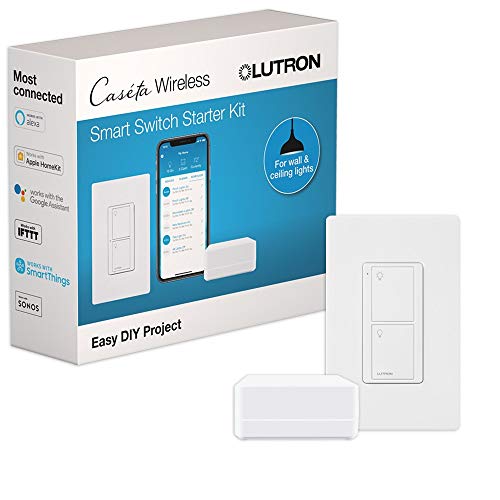
Most smart switches require a neutral wire to power their internal electronics. However, a few models (like Lutron Caseta) use a different technology and don't need a neutral. Always check the product specifications before purchasing.
Yes, but only if the switch is rated for fan control (typically up to 1.5 amps for fans). Standard smart switches are often rated for lighting only. Look for switches specifically labeled for fan control or check the maximum load rating.
The switch will still function as a manual toggle, but remote and voice control will be unavailable. Some switches retain schedules and timers locally, but most require cloud connectivity for app control.
Many smart switches support 3-way configurations, but you may need a companion switch or a special wiring setup. Check the product details for 3-way compatibility. Some switches require a neutral wire at both ends.
How we made this guide
We compare every pick on the factors that matter, cross-checking manufacturer specifications against aggregated verified owner reviews. We rank independently and never take payment for placement. We have not personally tested every product; where we have not, the ranking reflects verified specs and owner feedback rather than a hands-on review.
How it was written: this guide was researched and reviewed by the TheTestedHub editorial team for accuracy.
Affiliate disclosure: TheTestedHub is reader-supported. When you buy through links on our site, we may earn a commission at no extra cost to you.