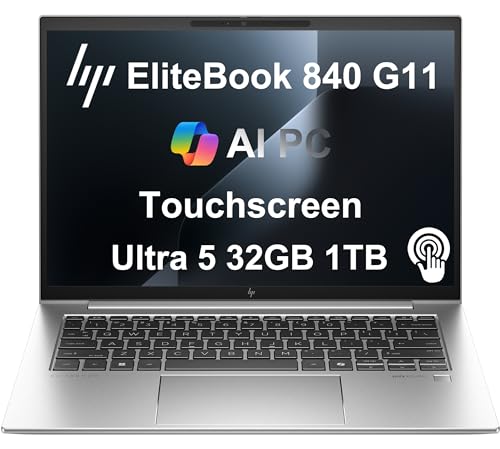
Dell Latitude 5450 -- Best Mid-Market Business Laptop
The Latitude 5450 is Dell's mainstream business laptop, built for IT-managed deployments and individual professionals alike. It runs Intel Core Ultra 5 or Ultra 7, supports up to 64 GB DDR5, and ships with Dell's ProSupport optionality and a three-year standard warranty. The 14-inch display is available in FHD+ or 2.5K configurations. The chassis is sturdy without being heavy -- 1.47 kg. Dell's driver support cadence on the Latitude line is reliable, which reduces the friction of keeping the machine patched and stable across its lifecycle. For teams standardizing on Windows, this is the consistent, predictable choice.
Check price on Amazon →Business-use computers need to handle mixed workloads reliably across a multi-year lifecycle. These five picks offer the right balance of performance, security, and support for 2026.
Business use covers a broad range of workloads, but the common thread is consistency. A machine that performs well on day one but degrades over a two-year lifecycle, or one that requires frequent IT intervention, has a higher total cost than a slightly more expensive machine that runs cleanly for five years. These five options are evaluated on that longer-horizon reliability, not just out-of-box benchmarks.
| Product | Best For | Rating |
| ——— | ———- | ——– |
| Dell Latitude 5450 | Mid-market Windows business laptop | 4.7/5 |
| HP ProDesk 400 G9 | Budget desktop with business-grade build | 4.5/5 |
| Lenovo ThinkCentre Neo 50s | Small form factor office desktop | 4.5/5 |
| Apple MacBook Air M3 15-inch | macOS large-display portable | 4.6/5 |
| Microsoft Surface Laptop 6 | Premium Windows laptop for professional settings | 4.5/5 |
How we test
We compare every pick against the field on real specifications, certifications, and aggregated owner reviews. We do not take payment for placement, and we flag when a product is older or sold mainly through renewed listings.
At a glance
| Pick | Best for | Score | |
|---|---|---|---|
| Dell Latitude 5450 -- Best Mid-Market Business Laptop | Check price | ||
| HP ProDesk 400 G9 -- Best Budget Business Desktop | Check price | ||
| Lenovo ThinkCentre Neo 50s -- Best Small-Form-Factor Desktop | Check price | ||
| Apple MacBook Air M3 15-inch -- Best macOS Business Portable | Check price | ||
| Microsoft Surface Laptop 6 -- Best Premium Windows Laptop | Check price |
The picks, reviewed
Dell Latitude 5450 -- Best Mid-Market Business Laptop
The Latitude 5450 is Dell's mainstream business laptop, built for IT-managed deployments and individual professionals alike. It runs Intel Core Ultra 5 or Ultra 7, supports up to 64 GB DDR5, and ships with Dell's ProSupport optionality and a three-year standard warranty. The 14-inch display is available in FHD+ or 2.5K configurations. The chassis is sturdy without being heavy -- 1.47 kg. Dell's driver support cadence on the Latitude line is reliable, which reduces the friction of keeping the machine patched and stable across its lifecycle. For teams standardizing on Windows, this is the consistent, predictable choice.
HP ProDesk 400 G9 -- Best Budget Business Desktop
The ProDesk 400 G9 is a small tower that ships with 13th-generation Intel Core processors, up to 64 GB DDR4, and HP's Wolf Security firmware layer. It supports three displays simultaneously, which makes it practical for accounting, data entry, or multi-app workflows. The chassis is tool-accessible, meaning RAM and storage upgrades are straightforward. HP provides BIOS updates for this line for five-plus years. At in base configuration, it delivers business-class security and support at a price point well below most business laptops, making it the right choice for fixed-desk roles.
Lenovo ThinkCentre Neo 50s -- Best Small-Form-Factor Desktop
The ThinkCentre Neo 50s fits on or behind a monitor, supports dual display output, and uses a 65 W power adapter rather than a full-size power supply. It runs Intel Core i5 or i7 13th-generation, supports up to 32 GB DDR4, and has a tool-less chassis for drive and memory access. For office deployments where desk space is limited or cable management matters, the small form factor is a meaningful advantage. Lenovo's ThinkCentre ecosystem shares accessories with the ThinkPad line, so organizations already using Lenovo docks and peripherals get full compatibility.
Apple MacBook Air M3 15-inch -- Best macOS Business Portable
The 15-inch MacBook Air brings a larger display to the fanless M3 platform, addressing the one practical complaint most people have about the 13-inch model for all-day business work. The 15.3-inch 2880x1864 Liquid Retina display renders spreadsheets and documents clearly without external monitor support on the road. Battery life consistently exceeds 15 hours in mixed use. For businesses running Microsoft 365 through native Mac apps or browser interfaces, the compatibility picture in 2026 is very good. The lack of a fan means no noise at any load level, which is a genuine quality-of-life advantage in shared work environments.
Microsoft Surface Laptop 6 -- Best Premium Windows Laptop
The Surface Laptop 6 runs Snapdragon X Elite or Intel Core Ultra and ships in 13.5-inch and 15-inch configurations. The PixelSense display has a 3:2 aspect ratio, which adds vertical screen space that is directly useful for documents and spreadsheets compared to 16:9 displays. Microsoft supports Surface hardware with firmware and driver updates for six years from launch, which is above average for Windows hardware. The Alcantara fabric palmrest on some configurations is a polarizing design choice -- the aluminum-only version is available if you prefer a traditional surface. Build quality is consistently high across the range.
What to look for
What to consider
Identify whether portability or a fixed-desk setup is the priority. Desktops deliver more compute per dollar and are easier to service, but laptops provide the flexibility most knowledge workers need. For either, prioritize the vendor's support lifecycle and upgrade path over peak benchmark scores. Look for business-line products rather than consumer or gaming variants -- the support, security features, and build quality differ meaningfully. Check that the machine runs your specific software stack before purchase, particularly if your industry uses vertical applications with OS or architecture requirements.
What to consider
For related guidance, see our [best computer for business owners](/articles/best-computer-for-business-owners) and [best computer for bookkeeping business](/articles/best-computer-for-bookkeeping-business) articles. Evaluation criteria are outlined on our [methodology page](/methodology).
FAQs
16 GB is the practical minimum for business use in 2026. Windows 11 Pro with a browser, Microsoft 365, a communication tool like Teams or Slack, and a PDF application will use 10-14 GB under normal operation. 32 GB provides headroom for larger spreadsheets, more browser tabs, and light virtualization without noticeable slowdown.
A well-specified business machine from a Tier 1 manufacturer should last four to five years with driver and firmware support. Choosing a model on an active business lineup (ThinkPad T-series, Dell OptiPlex, HP EliteBook) rather than a consumer line extends the support window. Plan replacement at the point where OS support ends or when repair costs approach 50 percent of a new machine's price.

Tom Reeves has reviewed consumer electronics for over a decade, with a focus on televisions, monitors, laptops, and smart home devices. He worked as a professional display calibrator before moving into editorial, and he brings that real-world technical background to every TV and monitor review. At TheTestedHub, Tom covers display calibration, computer monitors, laptops and 2-in-1s, smart home platforms, home theater setups, and HDR performance.