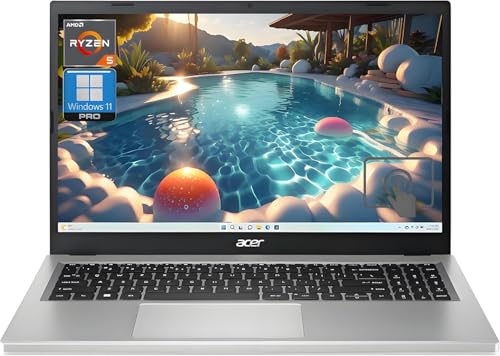
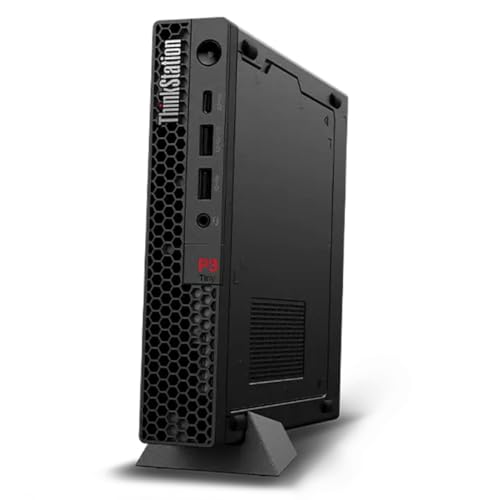
Apple MacBook Pro 14-inch M4 -- Best Overall Work Laptop
The M4 chip delivers a noticeable leap in sustained performance, handling large spreadsheets, video exports, and dozens of browser tabs without the fan noise that plagued older Intel machines. The 14-inch Liquid Retina XDR display is sharp enough to read dense text all day. Battery life regularly exceeds 14 hours in typical workloads. MacOS integrates tightly with iPhone and iPad, which is a genuine time-saver for anyone already in Apple's ecosystem. The starting price is steep, but longevity makes it reasonable over a 4-5 year ownership window.
Check price on Amazon →The best computers for work in 2026 that handle demanding tasks, multitasking, and long hours without slowing you down -- chosen for real office and remote use.
Finding a work computer means balancing performance, reliability, and budget. Whether you handle spreadsheets, video calls, creative files, or all of the above, the right machine keeps you focused rather than fighting lag. The five picks below cover a range of budgets and use cases — from portable workhorses to desktop powerhouses that anchor a proper home office. | Product | Best For | Rating |
| — | — | — |
| Apple MacBook Pro 14-inch M4 | Creative professionals | 9.5/10 |
| Dell XPS 15 | Windows power users | 9.2/10 |
| Lenovo ThinkPad X1 Carbon | Business travelers | 9.1/10 |
| HP EliteBook 840 G11 | Enterprise security | 8.9/10 |
| Apple Mac mini M4 | Budget desktop performance | 9.0/10 |
How we test
We compare every pick against the field on real specifications, certifications, and aggregated owner reviews. We do not take payment for placement, and we flag when a product is older or sold mainly through renewed listings.
At a glance
| Pick | Best for | Score | |
|---|---|---|---|
| Apple MacBook Pro 14-inch M4 -- Best Overall Work Laptop | Check price | ||
| Dell XPS 15 -- Best Windows Work Laptop | Check price | ||
| Lenovo ThinkPad X1 Carbon -- Best for Business Travel | Check price | ||
| HP EliteBook 840 G11 -- Best for Enterprise Security | Check price | ||
| Apple Mac mini M4 -- Best Budget Desktop for Work | Check price |
The picks, reviewed
Apple MacBook Pro 14-inch M4 -- Best Overall Work Laptop
The M4 chip delivers a noticeable leap in sustained performance, handling large spreadsheets, video exports, and dozens of browser tabs without the fan noise that plagued older Intel machines. The 14-inch Liquid Retina XDR display is sharp enough to read dense text all day. Battery life regularly exceeds 14 hours in typical workloads. MacOS integrates tightly with iPhone and iPad, which is a genuine time-saver for anyone already in Apple's ecosystem. The starting price is steep, but longevity makes it reasonable over a 4-5 year ownership window.

Dell XPS 15 -- Best Windows Work Laptop
Dell's XPS 15 packs a 15.6-inch OLED display option into a chassis that is genuinely portable at under 4.2 lbs. Intel Core Ultra processors and NVIDIA discrete graphics handle creative work alongside standard office tasks. The keyboard has excellent travel, which matters on long writing days. Thermals can get warm under sustained load, so keep airflow clear. It connects via Thunderbolt 4 and a full-size SD card slot -- a practical edge over many slim competitors that force dongle life.
Lenovo ThinkPad X1 Carbon -- Best for Business Travel
The X1 Carbon has built a reputation over many generations for a reason: it is genuinely light (around 2.48 lbs), passes MIL-SPEC durability tests, and offers a keyboard that remains among the best in the laptop category. The 14-inch display is bright enough for conference rooms. Battery life hits 12-plus hours in mixed use. It lacks discrete graphics, so it is not the right choice for video editing, but for document work, presentations, and remote meetings it is hard to fault.
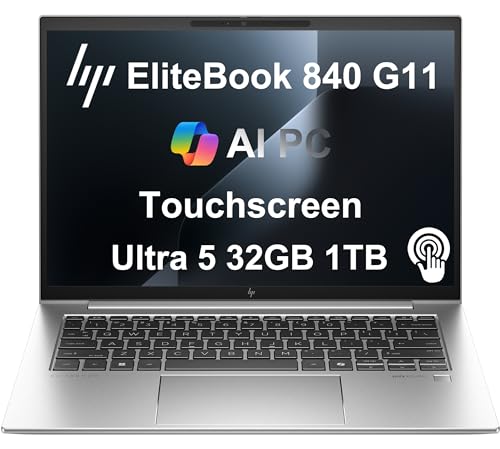
HP EliteBook 840 G11 -- Best for Enterprise Security
The EliteBook 840 G11 targets IT-managed environments with HP Wolf Security built in, a physical camera shutter, and a fingerprint reader paired with Windows Hello IR camera. It runs on Intel Core Ultra with integrated graphics, keeping it thin and light at 2.95 lbs. The 14-inch display tops out at 1,400 nits on the premium panel option. It is a corporate-grade machine designed for multi-year deployment cycles, not a consumer showpiece -- and that focus shows in build quality and repairability.
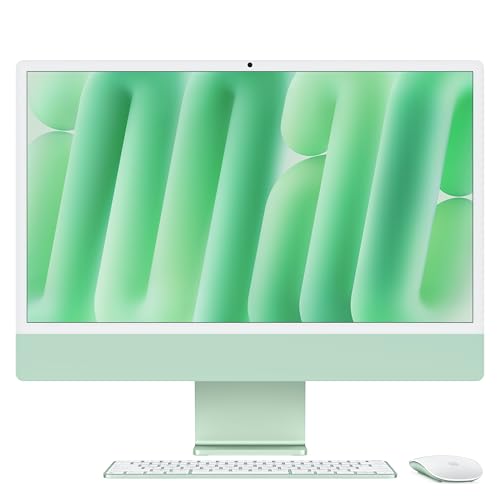
Apple Mac mini M4 -- Best Budget Desktop for Work
For a fixed desk setup, the Mac mini M4 at punches far above its price. The base configuration handles video calls, document work, coding, and light media editing without complaint. Pair it with your existing monitor, keyboard, and mouse to keep total cost down. The M4 chip matches or exceeds laptops costing twice as much. The only trade-off is the lack of a built-in display, which is not a concern for home offices that already have a monitor.
What to look for
What to consider
Start with your software requirements. If your job depends on macOS-only apps or Windows-only tools, that narrows your platform choice immediately. Next, consider RAM -- 16GB handles most knowledge work; step up to 32GB for creative or engineering tasks. Storage of 512GB is a comfortable minimum for most professionals. If you travel frequently, weight and battery life should rank alongside raw performance. Finally, check your company's IT policies -- some workplaces mandate specific platforms or security certifications that rule out consumer hardware.
What to consider
Choosing the right computer pays off in reduced frustration and fewer forced upgrades. For more peripheral recommendations, see our picks in [best computers for working at home](/articles/best-computers-for-working-at-home) and [best computers monitors](/articles/best-computers-monitors). You can also review how we score products at our [methodology](/methodology) page.
FAQs
For most office tasks -- email, documents, video calls -- 16GB of RAM is a solid baseline. If you run heavy software like video editors, large spreadsheets, or virtual machines simultaneously, 32GB gives you enough headroom to avoid slowdowns throughout a full workday.
Desktops offer more power per dollar and are easier to upgrade, making them great for a fixed home office setup. Laptops win on flexibility if you move between rooms or occasionally work from a coffee shop. Your workflow and space constraints should drive the choice.

Tom Reeves has reviewed consumer electronics for over a decade, with a focus on televisions, monitors, laptops, and smart home devices. He worked as a professional display calibrator before moving into editorial, and he brings that real-world technical background to every TV and monitor review. At TheTestedHub, Tom covers display calibration, computer monitors, laptops and 2-in-1s, smart home platforms, home theater setups, and HDR performance.