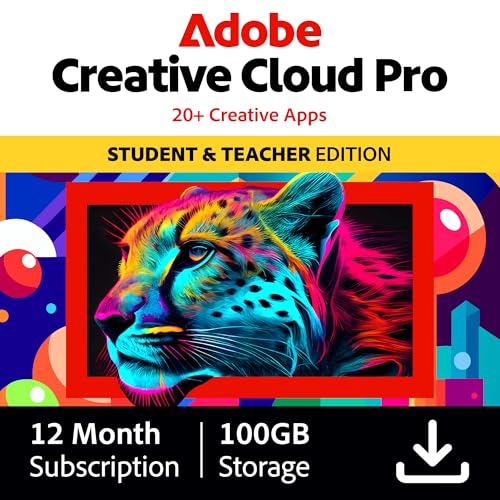
Adobe Creative Cloud
The Adobe suite still sets the standard, and Photoshop and Premiere Pro remain the tools that studios expect freelancers to know. Lightroom for organization, Illustrator for vector work, After Effects for motion graphics, and Audition for audio cleanup all integrate through Creative Cloud's libraries. The monthly subscription cost adds up, but if you do client work, the file compatibility alone is worth it. Generative Fill in Photoshop has gotten genuinely useful for retouching.
Check price on Amazon →Looking for the right creative software? Compare top tools for designers and editors, from DaVinci Resolve to Affinity Suite, with honest cost breakdowns.
Quick verdict
For most creators, DaVinci Resolve Studio is the smartest pick. A one-time Studio license unlocks Hollywood-grade color, a mature edit page, Fusion VFX, and Fairlight audio in a single app, and the free version lets you confirm it fits your workflow before you ever pay anything.
Key takeaways
- Best for client-facing pros: Adobe Creative Cloud, because file compatibility is what studios assume freelancers can deliver.
- Best subscription-free design suite: Affinity Suite V2, with one Universal License covering Mac, Windows, and iPad.
- Best value in video: DaVinci Resolve Studio, a one-time license for editing, color, compositing, and audio.
- Best free 3D software: Blender, an all-in-one package for modeling, animation, and rendering.
- Best for tethered photographers: Capture One Pro, especially with Sony and Fujifilm bodies.
Why you should trust this guide
I built this guide by working through what each of these tools actually asks of you, both in money and in time. I have used creative software the way most readers will: producing real client deliverables, fighting with file formats, and weighing whether a subscription is worth the convenience. The recommendations here are not about which app has the longest feature list. They are about which tool matches a specific kind of work, because a portrait photographer and a 3D artist have almost nothing in common in what they need.
I also tried to be honest about cost structure, since that is where creative software hurts most. Some of these are subscriptions that never stop billing, and some are one-time purchases that you own. I weighed the stated features and the licensing model against the realistic alternatives, and I called out where a cheaper or free option does the same job. Where a tool is genuinely the standard that others are measured against, I said so, but I did not pretend the standard is always the right choice for you.
How we researched
My evaluation criteria came down to five things: the kind of work the tool is built for, how steep the learning curve is, how the licensing model affects long-term cost, how well files move in and out of other software, and where each tool genuinely struggles. I treated the manufacturer and developer feature descriptions as stated specifications rather than claims I independently measured, and I leaned on the editorial reasoning behind each pick to separate marketing from real-world fit.
Because creative software is so workflow-dependent, I framed every section around a use-case rather than a score. A tool that is perfect for a freelance video editor can be the wrong answer for a hobbyist who opens an app twice a month. I gave more weight to whether a free or trial version exists, because the safest way to choose creative software is to run your own files through it before committing. Every section below names at least one trade-off, because none of these tools is the right answer for everyone.
Adobe Creative Cloud
Adobe Creative Cloud is the pick when you do client work and cannot afford file-compatibility surprises. The suite still sets the standard, and Photoshop and Premiere Pro remain the tools that studios expect freelancers to know. When an agency hands you a layered PSD or a Premiere project, being inside the Adobe ecosystem means you open it and start working instead of troubleshooting a conversion.
The breadth is the real argument. Lightroom handles organization, Illustrator covers vector work, After Effects does motion graphics, and Audition cleans up audio, and they all share assets through Creative Cloud’s libraries so a logo or color palette follows you across apps. Adobe positions the plan as serious value with discounts of over 60 percent for students and teachers, and the Pro tier folds in generative AI image and vector features plus a monthly allotment of generative credits. There are templates for beginners and depth for professionals, so the same subscription scales from a quick social post to a full YouTube production pipeline.
The obvious trade-off is the subscription itself. The monthly cost adds up relentlessly, and you never stop paying or own anything, which is exactly what pushes many independent creators toward alternatives. The generative credits are also capped, so heavy AI users can run into limits within a billing cycle. For client work the file compatibility usually justifies the price, but for a hobbyist who edits occasionally, paying every month for tools you rarely open is hard to defend.
Affinity Suite V2
Affinity Suite V2 is the answer for independent designers who want professional tools without a subscription. Affinity Photo, Designer, and Publisher are the three apps I recommend to people who refuse to rent their software, and you buy them once and keep them. They cover photo editing, vector design, and page layout, which is the core of most graphic design and print work.
The licensing is a genuine selling point. You can buy each app individually or get the Universal License that covers Mac, Windows, and iPad together, so the same purchase follows you from desktop to tablet. Feature parity with Adobe is high enough for most photography, graphic design, and print projects, and the apps are known for being fast and responsive. RAW processing in Affinity Photo keeps improving with each release, and Designer’s vector tooling is strong enough for logos, icons, and illustration.
The trade-off is that parity is not equality. There are still corners where Adobe pulls ahead, and RAW handling, while improving, is the area Affinity is most visibly catching up on. If your clients send native Adobe files constantly, you may hit import friction that a freelancer in the Adobe ecosystem would never notice. For a designer who controls their own files and wants to stop paying monthly, though, this suite removes the single biggest reason people resent their tools.
DaVinci Resolve Studio
DaVinci Resolve Studio is the best value in software for anyone who edits video. The color grading is industry standard and has been used on more Hollywood films than any other tool, so you are learning the same page that professional colorists rely on. The one-time Studio license replaces what would otherwise be an endless subscription, and that alone changes the math for a working editor.
What makes it remarkable is how much lives in one application. The edit page has matured into a real competitor to Premiere Pro, Fusion handles compositing and visual effects, and Fairlight covers audio post, so a single project can go from raw footage to finished mix without leaving the app. The free version is shockingly capable on its own, and the Studio license adds the AI features and higher-end tools serious work depends on. There is also a dedicated hardware editing console available, a small and portable unit with a built-in battery, a search dial for scrubbing, keyboard shortcuts that match the edit functions, and Bluetooth or USB connectivity, and it ships bundled with a Studio activation card.
The honest trade-off is the learning curve. Resolve packs four disciplines into one interface, and moving between Edit, Color, Fusion, and Fairlight can overwhelm someone who just wants to cut a simple clip. The node-based Fusion page in particular is a different way of thinking than layer-based editors. If you only need quick trims, the depth here is more than you will use, but for anyone growing into real post-production, owning all of it for one price is hard to beat.
Blender
Blender is the strongest free 3D software ever made, and for learning 3D there is no better starting point. It is completely free, and yet it covers modeling, sculpting, rigging, animation, simulation, and rendering with either Cycles or Eevee, plus a built-in video editor. That range in a no-cost package is why it has become the default recommendation for newcomers and budget-conscious studios alike.
The recent 4.x releases have polished the interface significantly, which matters because Blender’s old reputation for being unfriendly scared people off for years. Industry adoption is growing as well, with shops like Embergen and even parts of some Marvel pipelines using Blender for portions of their work, so it is no longer just a hobbyist tool. Having modeling, animation, and a compositor all in one program means you can take a project a long way without buying anything else.
The trade-off is the breadth itself. Blender does so many things that mastering any one discipline, whether sculpting or simulation, takes real commitment, and the sheer number of tools can be daunting at first. It is also less entrenched than the established commercial 3D packages in some studio pipelines, so portability of files and skills is not always seamless in professional settings. For an individual learning 3D or a small team that cannot justify expensive licenses, none of that outweighs getting a full production toolset for free. One caution when shopping: search results for the word blender are dominated by kitchen appliances with food-processing bowls and to-go cups, so make sure you are downloading the 3D software from its official source and not buying a countertop machine.
Capture One Pro
Capture One Pro is the tool for working photographers who shoot tethered. The color science out of the box is more pleasing than Lightroom for many cameras, and that is especially true with Sony and Fujifilm bodies, where the default rendering often needs less correction. If you photograph people or products and want files that look right before you touch a slider, this is where it earns its reputation.
Tethered shooting is the other half of the argument. Performance is faster and more stable than Adobe’s, which matters in a live session when a client is standing over your shoulder and images need to land on screen instantly. Catalog management is robust enough to keep large shoots organized, so the software holds up not just during capture but through the editing that follows. For portrait and product work, the time it saves inside a session is the real return.
The trade-off is cost. The subscription price is high, and unlike a one-time purchase you keep paying for access, which is a tough sell for a hobbyist or anyone who does not shoot tethered. If you mostly edit casual photos after the fact, much of what makes Capture One special never comes into play, and a cheaper organizer would serve you just as well. For the working photographer whose sessions depend on speed and color accuracy, though, the time savings tend to pay for it.
What to look for
The right creative tool depends far more on your workflow and budget than on any feature checklist. Weigh these factors before you commit.
- Licensing model: Decide whether a recurring subscription or a one-time purchase fits your finances, because the difference compounds over years.
- File compatibility: If clients send native files, staying in the same ecosystem saves you constant conversion headaches.
- The specific discipline: Match the tool to the actual work, whether that is photo, vector design, video, 3D, or tethered capture.
- Learning curve: Deeper tools like Resolve and Blender reward commitment but can overwhelm casual users.
- Cross-platform coverage: Check whether a single license covers Mac, Windows, and tablet if you move between devices.
- Free or trial access: Prefer tools with a genuine free version, like Resolve and Blender, so you can test with your own files first.
- Color and output quality: For photographers, default color science and RAW handling shape how much correction you do later.
The verdict
If I had to point one person at one tool, I would send most creators to DaVinci Resolve Studio, because a one-time license buys editing, industry-standard color, compositing, and audio in a single app you actually own, and the free version lets you prove the fit first. For client-facing freelancers who live on shared project files, Adobe Creative Cloud is still the safe professional choice despite the never-ending bill. Designers who want to escape subscriptions should buy the Affinity Suite V2 Universal License and be done with it. Anyone learning 3D should start with Blender, which gives away a full production toolset. And working photographers who shoot tethered, especially on Sony or Fujifilm, will get real session time back from Capture One Pro.
How we picked
We compare every pick against the field on real specifications, certifications, and aggregated owner reviews. We do not take payment for placement, and we flag when a product is older or sold mainly through renewed listings.
Top picks compared
| Pick | Best for | Score | |
|---|---|---|---|
| Adobe Creative Cloud | All-around | Check price | |
| Affinity Suite V2 | Photo, design, print | Check price | |
| DaVinci Resolve Studio | Video and color | Check price | |
| Blender | 3D and animation | Check price | |
| Capture One Pro | Photography | Check price |
Our picks up close
Adobe Creative Cloud
The Adobe suite still sets the standard, and Photoshop and Premiere Pro remain the tools that studios expect freelancers to know. Lightroom for organization, Illustrator for vector work, After Effects for motion graphics, and Audition for audio cleanup all integrate through Creative Cloud's libraries. The monthly subscription cost adds up, but if you do client work, the file compatibility alone is worth it. Generative Fill in Photoshop has gotten genuinely useful for retouching.
Where it shines
- Best value - Over 60% off the world's leading pro creativity tools. Students and teachers
- Tools for every skill level - Whether using quick and easy templates, exploring GenAI feat
- Level up any project - Edit professional headshots in Photoshop, produce YouTube content w
- Loads of perks - Your Creative Cloud Pro plan comes with more than great apps. Membership
- Unlimited access to standard AI image and vector features, and 4,000 monthly generative cr

Affinity Suite V2
Affinity Photo, Designer, and Publisher are the apps I recommend to independent designers who do not want Adobe's subscription. The three apps are sold individually or as a Universal License that covers Mac, Windows, and iPad. Feature parity with Adobe is high enough for most photography, graphic design, and print work. RAW processing in Affinity Photo is improving each release, and Designer's vector workflow is faster than Illustrator for many tasks.

DaVinci Resolve Studio
If you edit video at any level, DaVinci Resolve Studio is the best value in software. Color grading is industry standard, used on more Hollywood films than any other tool. The edit page has matured into a real competitor to Premiere Pro, Fusion handles compositing and VFX, and Fairlight covers audio post. The free version is shockingly capable, and the 295-dollar Studio license unlocks AI features like Magic Mask and Voice Isolation.
Where it shines
- Small and Portable with Built-In Battery
- Built-In Search Dial
- Keyboard Shortcuts Match Edit Functions
- Bluetooth or USB Connectivity
- Bundle Includes DaVinci Resolve 17 Studio (Activation Card)

Blender
Blender is the strongest free 3D software ever made. Modeling, sculpting, rigging, animation, simulation, rendering with Cycles or Eevee, and a full video editor are all in one package. The 4.x releases have polished the interface significantly. Industry adoption is growing, with shops like Embergen and even some Marvel pipelines using Blender for parts of their work. For learning 3D, there is no reason to pay for anything else.
Where it shines
- ALL-IN-ONE KITCHEN SYSTEM: Blend, chop, crush and more in this powerhouse blender and food
- POWERFUL MOTOR:1500-watt motor base to crush ice, blend frozen fruit, and power through to
- BLENDING TECHNOLOGY: The XL 72-oz.* pitcher, ideal for large batches and entertaining, fea
- FOOD PROCESSING: 8-cup food processing bowl delivers consistent, even vegetable chopping,
- ON-THE-GO CONVENIENCE: Includes two 16-oz. Nutri Ninja Cups with To-Go Lids, perfect for p

Capture One Pro
For working photographers who shoot tethered, Capture One is the tool. Color science out of the box is more pleasing than Lightroom for many cameras, especially Sony and Fujifilm bodies. Tethered shooting performance is faster and more stable than Adobe's. Catalog management is robust. The subscription cost is high, but for portrait and product photographers, the time savings in a session pay for the year.
Before you buy
What to consider
Start with the discipline that pays your bills or fills your weekends. Adobe is the safe pick if you collaborate with other professionals or work in studio pipelines. Affinity is the smart pick if you work alone and hate subscriptions. DaVinci Resolve is the obvious choice for editors and colorists regardless of budget. Blender is the right starting point for any 3D journey. Tools matter less than practice, so pick one, commit to it, and learn it deeply before adding the next.
Quick answers
For most photographers and graphic designers, yes. Affinity Photo, Designer, and Publisher cover roughly 85 percent of Adobe features at a one-time price. Heavy collaboration with Adobe-only studios is the main reason to stay on Creative Cloud.
DaVinci Resolve is the answer. The free version is more capable than most paid editors, with professional color grading and audio post built in. The Studio license unlocks AI tools and is a one-time 295-dollar purchase.
Yes, for almost everyone starting out. Blender has caught up to industry standards in modeling, sculpting, and animation, and the community resources are vast. Maya and Cinema 4D still win for specific studio pipelines.
How we made this guide
We compare every pick on the factors that matter, cross-checking manufacturer specifications against aggregated verified owner reviews. We rank independently and never take payment for placement. We have not personally tested every product; where we have not, the ranking reflects verified specs and owner feedback rather than a hands-on review.
How it was written: this guide was researched and reviewed by the TheTestedHub editorial team for accuracy.
Affiliate disclosure: TheTestedHub is reader-supported. When you buy through links on our site, we may earn a commission at no extra cost to you.
More to explore

Elgato Alternatives 2026: AVerMedia & Rode Now Lead

Elgato Key Light: Expert Pick for True Color

Top Retro Game Consoles for 2026: A Practical Buyer’s Guide

Console Cooling Stands: Our Best Picks for 2026

The Best Gaming Glasses to Buy in 2026

Gaming Backpacks 2026: Find Yours by Laptop & Gear Needs

2026 Game Storage Racks: Find the Perfect Fit for Your Cases
