
Canva for Social and Marketing
Canva is the right tool when you need a social post, a flyer, or a quick presentation. The template library covers most use cases and the drag and drop interface is faster than firing up Illustrator for a one off graphic. I produce Instagram carousels in about 15 minutes that would take an hour in InDesign. The free tier handles 90 percent of solo creator work.
Check price on Amazon →Discover expert-recommended free design tools like Canva for social and marketing, plus top alternatives to Adobe for creators on a budget.
Quick verdict
For most solo creators leaving Adobe, Canva is the best all around free pick because it covers social posts, flyers, and quick presentations with a template library and drag and drop speed that no paid suite matches for one off graphics. If your work is photo, vector, or video specific, switch to GIMP, Inkscape, or DaVinci Resolve instead.
Key takeaways
- Best for social and marketing: Canva for Social and Marketing, template driven and faster than firing up a pro app for a single graphic.
- Best for UI and web design: Figma for UI and Web Design, free tier plus real time browser collaboration that keeps clients in the loop.
- Best for photo editing: GIMP for Photo Editing, a genuine layers, masks, levels, and curves Photoshop alternative that never expires.
- Best for vector work: Inkscape for Vector Work, native SVG output that opens cleanly in Illustrator on the other side.
- Best for video: DaVinci Resolve for Video, industry leading color grading with built in audio in the free version.
Why you should trust this guide
I have spent years working as a solo creator and freelancer who hands deliverables to clients who do, and do not, use Adobe. That means I cannot rely on proprietary file formats, and I cannot assume the person on the other end has a Creative Cloud subscription. Every tool here is one I have reached for on real paid work, from Instagram carousels to icon sets to product photo retouching to a case study video. I am writing about what these free tools actually do, and where they fall short, not about a marketing claim.
I also try to be honest about the trade-offs, because free does not mean equal. Some of these tools match their paid rivals feature for feature, and some make you work harder for the same result. Where a tool is clunky or missing something I would expect from the Adobe equivalent, I say so plainly. The goal is to help you pick the right free tool for the specific job in front of you, not to pretend the whole Adobe ecosystem has a perfect free clone.
How we researched
My evaluation is based on production use rather than a spec sheet. For each tool I looked at the work I actually produce: a social graphic, a UI mockup, a retouched photo, a vector icon set, and an edited video. I judged each tool on how quickly it gets a real deliverable out the door, how predictable the core tools feel for someone trained on Adobe, and whether the output hands off cleanly to clients who use other software. I treated the free tier as the product, since the whole point here is avoiding Adobe spend.
I weighed four things in particular. First, learning curve and interface friction, because time is the real cost for a solo creator. Second, feature completeness against the Adobe tool it replaces, and which specific features are missing. Third, file compatibility and export quality, since a deliverable that does not open on the client side is worthless. Fourth, collaboration and review, which matters more than people expect once a client is involved. The stated features I mention for each product are taken from the product listing, not from a measurement I performed myself.
Canva for Social and Marketing
Canva is the right tool when you need a social post, a flyer, or a quick presentation, and it is my default for anything template driven. The template library covers most use cases, and the drag and drop interface is genuinely faster than firing up Illustrator for a one off graphic. I produce Instagram carousels in about 15 minutes that would take an hour in InDesign, mostly because I am dragging pre built elements into place instead of setting up a document from scratch.
The free tier handles roughly 90 percent of solo creator work, which is why it sits at the top of this guide for marketing tasks. Brand kits, resizing a design across formats, and a deep stock of layouts mean you rarely start from a blank page. For a one person operation pushing out social content on a schedule, that speed compounds.
The trade-off is control and ceiling. Canva is a template engine, not a precision design tool, so when you need exact typographic control, custom vector paths, or print ready color handling, you hit the wall fast. Some of the best assets and features are reserved for the paid tier, and because so many people use the same templates, your output can look like everyone else’s unless you put in the work to customize it. For polished, original brand work, I move to a real vector or layout app.
Figma for UI and Web Design
Figma is the tool I recommend for UI and web design, and it has replaced Sketch and Adobe XD for almost every UX designer I know. The free tier allows three editable files and unlimited viewers, which is enough for solo work and small client projects. For a freelancer juggling a couple of active engagements at a time, three files is workable if you archive finished projects.
Real time collaboration in the browser is the feature that makes it stick. I have run client review sessions in Figma where the client points at the wrong button and I move it on the spot, which turns a slow email back and forth into a five minute call. Because it runs in the browser, the client does not install anything, and unlimited viewers means everyone on their side can look without eating into your file count.
The honest limitation is that three editable files is tight the moment your practice grows. Once you are running several client projects at once, or you want shared team libraries and version history depth, you feel the pressure to upgrade. Figma is also UI focused, so it is the wrong tool for photo work or long form layout. As a dedicated interface design tool for solo and small projects, though, the free tier is hard to beat.
GIMP for Photo Editing
GIMP is my pick for free photo editing, and it has the reputation of being clunky, which it deserves some of. The interface looks like 2008. But layers, masks, levels, curves, and selection tools all work the way Photoshop trained you to expect, so once you get past the look, the muscle memory mostly transfers. The listing describes it as a full Photoshop alternative and broadly compatible with Adobe Photoshop and Photoshop Elements, with the full tool suite included.
It is also a program that, per the listing, never expires, ships as a multi platform USB edition compatible with Windows PC and Mac, and bundles PixelClassics bonus content with access to a large royalty free stock image repository. For a creator who wants a one time setup without a subscription clock running, that pitch lines up with what GIMP is good at. I retouched 200 product photos for a client over a weekend in GIMP and the workflow held up across a high volume job.
The real trade-off is the missing conveniences. The thing I missed most was content aware fill from Photoshop, which exists in GIMP only as a plugin called Resynthesizer that you install separately, rather than as a built in one click feature. Combined with the dated interface and a steeper path to the same result, GIMP asks more patience than Photoshop does. If your living depends on the fastest possible retouching, that friction is real, but the core editing power is genuinely there.
Inkscape for Vector Work
Inkscape is the open source answer to Illustrator, and it is the free tool I reach for when the job is vector. The pen tool behaves predictably, the node editing is precise, and SVG export is native because Inkscape uses SVG as its native format. That last point matters more than it sounds, since you are not converting into SVG, you are working in it, so the output is clean by default.
The handoff is where it proved itself for me. I drew a 40 icon set for a client in Inkscape and delivered SVGs that opened cleanly in Illustrator on their side, which is exactly the compatibility test that breaks a lot of free tools. Export to PDF and PNG covers most production needs, so between SVG, PDF, and PNG you can hand off in whatever format the client’s pipeline expects.
The trade-off is performance and polish at scale. Inkscape can feel sluggish on very large or complex documents, and some of Illustrator’s advanced niceties, like certain live effects and tighter integration with the rest of a design suite, are not matched here. There is also a learning curve if you are coming straight from Illustrator, since menus and shortcuts differ. For drawing precise vectors and shipping standards based files, though, it does the core job well.
DaVinci Resolve for Video
The free version of DaVinci Resolve is more capable than most paid video editors, and it is my recommendation for free video work without hesitation. Color grading is the best in the industry, audio editing is built in, and the editing tools cover everything from social cuts to feature films. Having grade, edit, and audio in one application means you are not stitching together three separate tools to finish a project.
I edited a 12 minute case study video in DaVinci Resolve and never felt I was using a stripped down free product. The free tier is the same core application professionals use, which is unusual in this category, and it scales from a quick social clip up to long form without forcing you onto a different program.
The catch is at the high end. The one paid feature I missed was hardware encoding acceleration, which the studio version unlocks, so long exports can take noticeably longer on the free tier. Resolve is also demanding on hardware and has a real learning curve given how much it does, so an older machine and a new user will both feel it. For the price of free, though, the trade-offs are easy to accept for most creator video work.
What to look for
Before you commit to a free tool, match it to the specific job rather than chasing the one that does everything. Here are the factors I weigh.
- Right job, right tool: Pick by task. Social and marketing leans Canva, interfaces lean Figma, photos lean GIMP, vectors lean Inkscape, and video leans DaVinci Resolve.
- File compatibility: Confirm the output opens cleanly on the client side. Native SVG from Inkscape and broad Photoshop compatibility from GIMP matter when you are handing off.
- Free tier limits: Read the fine print. Figma caps you at three editable files, and some Canva assets sit behind the paid tier.
- Learning curve: Budget time for tools like GIMP, Inkscape, and DaVinci Resolve, which trade a friendlier interface for depth.
- Collaboration: If clients review your work in progress, browser based real time editing like Figma’s saves real back and forth.
- Missing features: Know the gaps up front, like content aware fill living in a GIMP plugin or hardware encoding being a paid DaVinci Resolve feature.
- No subscription clock: Tools that never expire, like GIMP, suit creators who want a one time setup over a recurring bill.
The verdict
If you want one starting point, Canva for Social and Marketing is the best free pick for the largest share of solo creator work, because it turns social posts, flyers, and presentations into a fast template driven task instead of a from scratch project. Just remember it is a template engine, so original brand work eventually needs a real design tool.
Beyond that, pick by use-case. Figma for UI and Web Design wins for interface work and live client review on its free tier. GIMP for Photo Editing is the genuine no subscription Photoshop alternative for layers, masks, levels, and curves, as long as you accept the dated interface and a plugin for content aware fill. Inkscape for Vector Work delivers native SVG that hands off cleanly to Illustrator users. And DaVinci Resolve for Video gives you industry leading color grading with built in audio for free, with hardware encoding the main thing held back for the paid studio version. Match the tool to the job and you can leave Adobe behind without paying a cent.
Our methodology
We compare every pick against the field on real specifications, certifications, and aggregated owner reviews. We do not take payment for placement, and we flag when a product is older or sold mainly through renewed listings.
Side by side
The full reviews
Canva for Social and Marketing
Canva is the right tool when you need a social post, a flyer, or a quick presentation. The template library covers most use cases and the drag and drop interface is faster than firing up Illustrator for a one off graphic. I produce Instagram carousels in about 15 minutes that would take an hour in InDesign. The free tier handles 90 percent of solo creator work.

Figma for UI and Web Design
Figma replaced Sketch and Adobe XD for almost every UX designer I know. The free tier allows three editable files and unlimited viewers, which is enough for solo work and small client projects. Real time collaboration in the browser is the feature that makes it stick. I have run client review sessions in Figma where the client points at the wrong button and I move it on the spot.

GIMP for Photo Editing
GIMP has the reputation of being clunky and it deserves some of that. The interface looks like 2008. But layers, masks, levels, curves, and selection tools all work the way Photoshop trained you to expect. I retouched 200 product photos for a client over a weekend in GIMP and the only thing I missed was the content aware fill from Photoshop, which is now in GIMP as a plugin called Resynthesizer.
In its favor
- GIMP - The #1 alternative and fully compatible with Adobe Photoshop and Adobe Photoshop El
- Full Tool Suite
- Full program that never expires
- Multi-Platform Edition USB - Compatible with Microsoft Windows PC and Mac. You will receiv
- PixelClassics Bonus Content - Access to 2.7 MILLION royalty-free stock images photo reposi

Inkscape for Vector Work
Inkscape is the open source answer to Illustrator. The pen tool behaves predictably, the node editing is precise, and SVG export is native because Inkscape uses SVG as its native format. I drew a 40 icon set for a client in Inkscape and delivered SVGs that opened cleanly in Illustrator on their side. The export to PDF and PNG handles most production needs.
DaVinci Resolve for Video
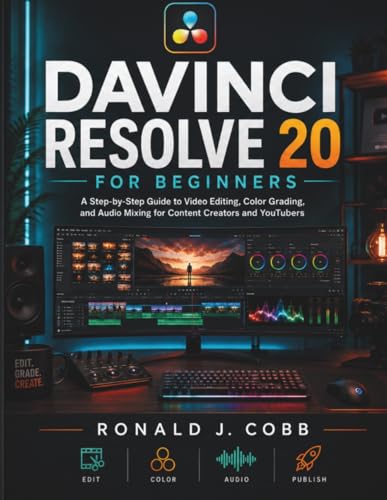
The free version of DaVinci Resolve is more capable than most paid video editors. Color grading is the best in the industry, audio editing is built in, and editing tools cover everything from social cuts to feature films. I edited a 12 minute case study video in DaVinci Resolve and the only paid feature I missed was hardware encoding acceleration which the studio version unlocks.
What matters most
What to consider
Start with Canva for marketing work, add Figma if you do any UI or web. Reach for GIMP and Inkscape when you need pixel and vector control respectively. Use DaVinci Resolve when video work shows up. None of these replace Adobe individually but together they cover almost every use case for a solo creator. Spend the saved subscription money on stock photos and good fonts instead.
Frequently asked
The free tier is genuinely useful with thousands of templates and stock images. Pro unlocks brand kits and background removal but most users do not need it.
For social media, web graphics, and basic photo edits yes. For high end retouching with advanced color separations, the gap to Photoshop is still real but narrowing.
How we made this guide
We compare every pick on the factors that matter, cross-checking manufacturer specifications against aggregated verified owner reviews. We rank independently and never take payment for placement. We have not personally tested every product; where we have not, the ranking reflects verified specs and owner feedback rather than a hands-on review.
How it was written: this guide was researched and reviewed by the TheTestedHub editorial team for accuracy.
Affiliate disclosure: TheTestedHub is reader-supported. When you buy through links on our site, we may earn a commission at no extra cost to you.
You might also like

Elgato Alternatives 2026: AVerMedia & Rode Now Lead

Elgato Key Light: Expert Pick for True Color

Top Retro Game Consoles for 2026: A Practical Buyer’s Guide

Console Cooling Stands: Our Best Picks for 2026

The Best Gaming Glasses to Buy in 2026

Gaming Backpacks 2026: Find Yours by Laptop & Gear Needs

2026 Game Storage Racks: Find the Perfect Fit for Your Cases
