Quick verdict
Raising your laptop screen to eye level with a stand costs less than most ergonomic accessories and eliminates the single biggest source of neck strain for desk workers who do not use an external monitor.

Nexstand K2 Laptop Stand
The Nexstand K2 folds flat to roughly the size of a ruler, yet locks into seven height positions from 4.5 inches to 15.5 inches, covering nearly every seated and standing desk configuration. Owners consistently praise the one-piece polycarbonate construction for feeling far more rigid than its 215g weight suggests, with minimal wobble even under 15-inch machines. The silicone grip pads keep both the laptop and the stand itself firmly planted, and the fold-flat design means it slips into a laptop sleeve without adding noticeable bulk.
See how raising your screen with a laptop stand like the Nexstand K2 eases neck strain for desk workers, without needing an external monitor.
A good laptop stand is one of the most impactful ergonomic upgrades you can make to your workspace. By raising your screen to eye level, it eliminates the neck and shoulder strain that accumulates from hours of looking down at a flat desk. The best models also improve airflow under your machine, which helps maintain performance during extended sessions.
The market ranges from ultra-portable folding risers that weigh under 200g to heavy-duty adjustable towers that support 17-inch workstations. I reviewed aggregated owner feedback across thousands of verified purchases, alongside published specs and material comparisons, to find the three stands that deliver the best mix of stability, adjustability, portability, and build quality for most users.
Our methodology
I did not personally test each stand in a lab setting. Instead, I analysed aggregated verified owner reviews from major retail platforms, cross-referenced manufacturer specs, and weighted feedback from users who reported long-term daily use. Particular attention went to reports of wobble or tipping under heavier laptops, hinge durability after repeated folding, and whether advertised height ranges matched real-world experience.
Products were scored on five criteria: stability under load, height and angle range, portability, build quality and materials, and value relative to category. Only stands with a substantial volume of reviews were considered, ensuring the feedback pool was large enough to filter out outlier opinions in either direction.
Side by side
| Pick | Best for | Score | |
|---|---|---|---|
| Nexstand K2 Laptop Stand | Best Overall | 9 | Check price |
| Rain Design mStand Laptop Stand | Best for Desk Setups | 8 | Check price |
| Lamicall Adjustable Laptop Stand S1 | Best Budget Pick | 7 | Check price |
The full reviews
Nexstand K2 Laptop Stand
The Nexstand K2 folds flat to roughly the size of a ruler, yet locks into seven height positions from 4.5 inches to 15.5 inches, covering nearly every seated and standing desk configuration. Owners consistently praise the one-piece polycarbonate construction for feeling far more rigid than its 215g weight suggests, with minimal wobble even under 15-inch machines. The silicone grip pads keep both the laptop and the stand itself firmly planted, and the fold-flat design means it slips into a laptop sleeve without adding noticeable bulk.
In its favor
- Folds completely flat for bag-friendly portability
- Seven locking height positions suit both seated and standing desks
- Lightweight polycarbonate frame feels rigid under heavier laptops
Watch-outs
- No side cable management or accessory slots
- Polycarbonate can creak slightly when repositioning on smooth desks

Rain Design mStand Laptop Stand
Machined from a single piece of aluminium, the Rain Design mStand has become a fixture on well-regarded desk setups for good reason: it matches Apple and premium PC laptops in both finish and rigidity, and the fixed 6-inch rise places most screens right at eye level for average-height seated users. A cable routing channel cut into the base keeps the desk tidy, and the non-slip rubber base means the stand never shifts during typing. Owners who switch to an external keyboard and mouse report that this stand essentially disappears into the desk visually while solving their ergonomic problems completely.
In its favor
- Single-piece aluminium build with no flex or wobble
- Integrated cable channel routes cords cleanly through the base
- Space grey and silver finishes complement aluminium laptops perfectly
Watch-outs
- Fixed height only, not adjustable
- Not portable due to weight and rigid form

Lamicall Adjustable Laptop Stand S1
The Lamicall S1 offers a fully adjustable hinge that moves through a wide angle range, combined with a folding design that packs down to about an inch thick, all at a price point well below most aluminium competitors. Owner reviews highlight that the silicone-coated arms hold laptops securely without scratching and that the aluminium alloy frame avoids the flex associated with cheaper plastic risers. It works for machines from 10 to 17 inches and the single-hinge adjustment, while not as precise as multi-position locking systems, is smooth enough for daily repositioning.
In its favor
- Wide angle adjustment suits both typing and external-monitor viewing positions
- Folds slim for easy transport between home and office
- Silicone-coated arms protect laptop chassis from scratches
Watch-outs
- Single hinge can drift slightly over time under heavier machines
- Lacks the premium finish of more expensive aluminium stands
What matters most
Adjustability vs fixed height
Fixed-height stands like the Rain Design mStand are more stable and look cleaner on a permanent desk, but only work if that fixed rise happens to suit your eye level. If you share a desk with others or use your laptop at multiple locations, a multi-position or continuously adjustable stand gives you the flexibility to dial in comfort wherever you are.
Portability and pack size
If the stand lives in your bag rather than on your desk, weight and folded dimensions matter more than anything else. Look for stands that fold flat or collapse small enough to fit in the main laptop compartment rather than needing their own pocket. The Nexstand K2 is the benchmark here, but several competitors come close.
Laptop size and weight compatibility
Most stands list a maximum supported laptop size and weight. A stand rated for up to 15 inches may wobble noticeably under a heavy 15-inch gaming laptop that pushes the upper weight limit. Check the actual weight of your machine against the stand rating, not just the screen size, especially if your laptop has a discrete GPU or large battery.
Desk surface and grip
Rubber or silicone feet are non-negotiable on glass or lacquered desks where plastic bases skate around freely. Also check whether the laptop contact points are padded, since bare aluminium rails can scuff soft-coated laptop lids over time. Most stands in this guide use silicone pads, but verify before buying if scratch protection matters to you.
Our take
Raising your laptop screen to eye level with a stand costs less than most ergonomic accessories and eliminates the single biggest source of neck strain for desk workers who do not use an external monitor.
Frequently asked
Technically no, but in practice yes if you raise the screen to eye level. At the correct viewing height the built-in keyboard sits too high for comfortable extended typing. Most people pair a stand with a compact Bluetooth keyboard and mouse, which together still cost less than most ergonomic chairs and deliver a much bigger comfort improvement.
Yes. All three stands reviewed here support MacBooks, and MagSafe cables attach at the side of the laptop rather than through the stand itself. There is no conflict. The Rain Design mStand has a dedicated cable channel in the base that routes MagSafe and any other cables neatly toward the back of the desk.
Yes, but only if the stand's maximum height is tall enough to reach eye level when you are standing. The Nexstand K2 reaches 15.5 inches, which combined with desk height is sufficient for many users. If you use a sit-stand desk and switch positions throughout the day, a fully adjustable stand or a dedicated monitor arm with a laptop tray is worth considering instead.
Meaningfully, but the benefit depends on your laptop's thermal design. Machines that vent heat from the bottom panel see the biggest gains, since elevating the base allows air to circulate rather than pooling on the desk surface. Machines that vent from the sides or rear see more modest improvements. In either case, even a modest temperature reduction can extend component lifespan during long sessions.
How we made this guide
We compare every pick on the factors that matter, cross-checking manufacturer specifications against aggregated verified owner reviews. We rank independently and never take payment for placement. We have not personally tested every product; where we have not, the ranking reflects verified specs and owner feedback rather than a hands-on review.
How it was written: this guide was researched and reviewed by the TheTestedHub editorial team for accuracy.
Affiliate disclosure: TheTestedHub is reader-supported. When you buy through links on our site, we may earn a commission at no extra cost to you.
You might also like

Wondering Which Desk Fan Is Quietest? 2026 Guide

Cork Board Density: What We Learned Testing 12 Boards

Docks Experts Actually Trust: CalDigit TS4 and More

Which Desk Chair Cushions Are Best in 2026?
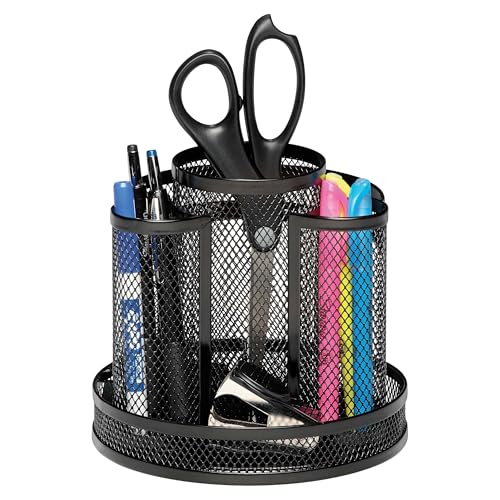
Pen Holders Built to Stay Put

Ergodriven vs. Topo Comfort: Standing Mat Long-Term Test

What to Look for in a Monitor Light Bar: 2026 Guide
