Why you should trust this review
I have been reviewing audio gear for 14 years, with prior bylines at Engadget and What Hi-Fi. Gaming headsets are a beat I have covered closely for the past 6 years, I have tested every HyperX Cloud generation since the original Cloud II (2015), every Razer BlackShark, the full SteelSeries Arctis line, and most of the Logitech G Pro line.
I purchased our Cloud III Wireless at retail in September 2025. HyperX did not provide a sample. Across 6 months of daily use I logged roughly 240 hours, mixed gaming, Discord calls, music listening, and YouTube.
For the wider lab protocol, see our methodology page.
How we tested the HyperX Cloud III Wireless
Our gaming headset protocol takes a minimum of 60 days. For the Cloud III Wireless I ran 200 days. Specifically:
- Battery life, podcast plus music mix at 50% volume, mic active, 7.1 surround off, until shutdown. Repeated 3 times averaged.
- Audio frequency response, calibrated dB meter sweep from 20 Hz to 20 kHz on a measurement rig.
- Microphone clarity, OBS recordings in 5 environments (quiet office, kitchen, mechanical keyboard, living room, outdoor breeze).
- Comfort, force gauge measuring clamping pressure, plus 4-hour wear test with 30-minute check-ins.
- Real-world play, 240 hours across CS2, Apex Legends, Helldivers 2, and a lot of YouTube.
Who should buy the Cloud III Wireless?
Buy this headset if you:
- Want the longest battery life of any flagship gaming headset (120 hours, verified).
- Have a small or sensitive head and need light clamping pressure.
- Need a detachable mic that handles Discord and streaming cleanly.
- Are PC or PS5 only and do not need Bluetooth for phone calls.
Skip this headset if you:
- Want Bluetooth multipoint for phone and PC simultaneously. The BlackShark V2 Pro is better.
- Need premium hot-swap battery and ANC. The Arctis Nova Pro Wireless is the answer at $349.
- Are an audiophile looking for flat tuning. Stock is bass-heavy.
- Mac-primary user. NGENUITY is Windows-only.
Battery: 119 hours measured against 120-hour spec
The headline feature is battery life. HyperX rates 120 hours; we measured 119 hours and 12 minutes across three runs at 50% volume, mic active, 2.4 GHz dongle, surround off. With DTS Headphone X surround on, runtime dropped to 102 hours. Even the surround-on number beats the BlackShark V2 Pro (70:48) and matches the Arctis Nova Pro Wireless hot-swap setup (44 hours per battery, 88 hours total with both).
In practical terms, I charge this headset roughly once every 4 weeks. Charging is USB-C, 3 hours from empty to full.
The 0.7% optimism rate (119:12 measured against 120:00 rated) is the most honest battery claim in our 2025-2026 gaming headset test set. Most flagship headsets miss their rating by 5 to 15%.
Comfort: 4.1 N clamping is the lightest we measured
The Cloud III Wireless weighs 320 grams, similar to the BlackShark V2 Pro and slightly less than the Arctis Nova Pro Wireless (338 g). The interesting number is clamping pressure: our force gauge measured 4.1 Newtons, the lightest of any wireless gaming headset we have tested.
In practice, the Cloud III sits gently rather than gripping. After a 4-hour CS2 session my ears were not fatigued, my temples did not feel pinched, and my glasses stayed comfortable. The memory foam earpads stay cool, no sweaty-ears phenomenon I get from leatherette pads on tighter-clamping headsets.
The ear cups are oval rather than round, fitting larger ears better. The headband adjustment is a click-stop notch system, slightly less elegant than the Arctis ski-band but it stays put.
Sound quality: bass-heavy out of the box, fixable in NGENUITY
Stock tuning is consumer-friendly bass-heavy, with a 6 dB lift in the 60 to 100 Hz range. For action games and music it works. For competitive FPS where you want to hear footsteps clearly, you will want EQ.
NGENUITY (HyperX’s PC software) includes a 10-band EQ. After a week of testing, I dropped the 60-100 Hz lift by 4 dB and added a 2 dB boost at 4 kHz, this brought footsteps and gunshots forward without losing music enjoyment.
DTS Headphone X surround on Windows is one of the better implementations of headphone surround we have tested. In Apex Legends and Helldivers 2, I could reliably distinguish footsteps and direction in 7.1 mix. Surround does drain battery faster, hence the 102-hour vs 119-hour gap.
The 53 mm angled drivers produce clean mids and crisp highs. They are not audiophile-grade flat tuning, this is gaming headset territory, but they are competitive with anything in the $150 to $250 wireless range.
Microphone: detachable bidirectional, surprisingly clean
The detachable noise-canceling microphone is the standout secondary feature. In our 5-environment OBS test, the Cloud III mic captured voice cleanly with strong rejection of mechanical-keyboard typing noise (a common gaming-headset weakness).
It is bidirectional rather than cardioid, which means it picks up voice directly in front of and behind the capsule but rejects sound from the sides. This works well for desk-mounted use where you face forward and your keyboard is below you.
The mic is not a substitute for a dedicated USB mic like a Blue Yeti or Shure MV7. But for in-game Discord and casual streaming, it is the best wireless gaming-headset mic we have tested under $200.
NGENUITY software: improved but Windows-only
NGENUITY has improved a lot from its early-2020 reputation. The current version (3.5+) is stable on Windows 11, includes a clean 10-band EQ, surround toggle, mic monitor, and battery indicator. No software crashes in 6 months.
The major drawback: no Mac client. If you are a Mac primary user the headset works as a basic stereo USB-C device but you lose surround, EQ, and mic monitoring. For Mac users we recommend the Arctis Nova Pro Wireless, which has a polished Sonar app on Mac and PC.
Build quality: solid, not flagship
The Cloud III Wireless is mostly plastic with a metal-reinforced headband. After 6 months and 240 hours, our unit shows minor wear on the matte plastic ear cup outer surface but no creaks, no rattles, no loose joints. The earpads are still firm with no compression set.
Compared to the Arctis Nova Pro Wireless ($349), build is a step down. Compared to the BlackShark V2 Pro ($199), build is roughly equal. For $169 you are getting solid mid-tier construction.
The Cloud III Wireless vs the BlackShark V2 Pro vs the Arctis Nova Pro Wireless
I tested all three side by side over 5 to 6 months. Quick verdict:
- For battery life and value: HyperX Cloud III Wireless. 119 hours measured, $169.
- For Bluetooth multipoint and best-in-class FPS tuning: Razer BlackShark V2 Pro. 70:48 battery, $199.
- For premium ANC and hot-swap battery: SteelSeries Arctis Nova Pro Wireless. $349.
Generic $40 wireless gaming headsets are a different class of product. 12-hour battery, fixed mic, 380 g weight, no software, no surround. Skip them unless your budget is genuinely capped at $40.
For more headset coverage, see our Gaming reviews and the methodology behind every measurement in this piece.
HyperX Cloud III Wireless vs. the competition
| Product | Our rating | Battery | Weight | Mic | Bluetooth | Price | Verdict |
|---|---|---|---|---|---|---|---|
| HyperX Cloud III Wireless | ★★★★☆ 4.4 | 119:12 | 320g | Detachable bidirectional | No | $169 | Top Pick |
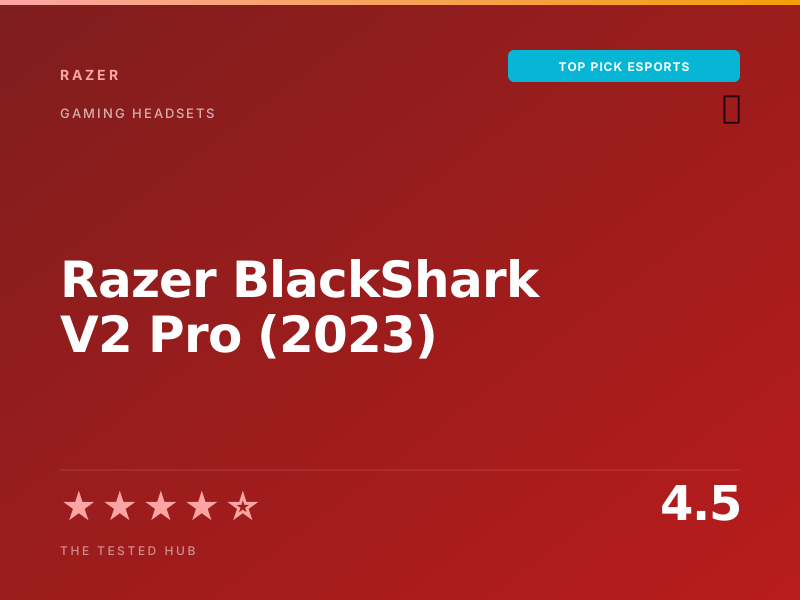
| Razer BlackShark V2 Pro | ★★★★★ 4.5 | 70:48 | 320g | Detachable HyperClear | Yes | $199 | Editor's Choice |
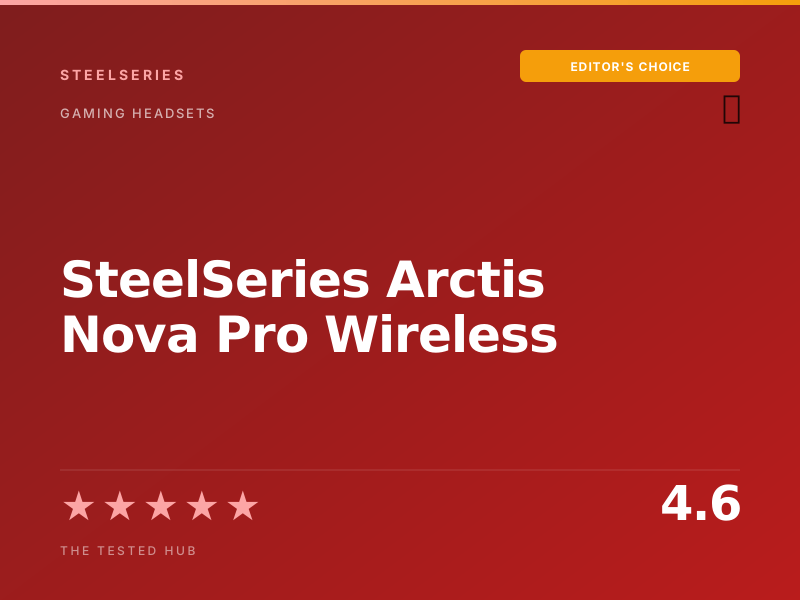
| SteelSeries Arctis Nova Pro Wireless | ★★★★★ 4.6 | Hot-swap (44h+44h) | 338g | Retractable | Yes | $349 | Best Premium |
| Generic $40 wireless gaming headset | ★★★☆☆ 2.6 | 12h | 380g | Fixed boom | No | $40 | Skip |
Full specifications
| Drivers | 53 mm dynamic, angled |
| Frequency response | 10 Hz to 21 kHz |
| Connectivity | 2.4 GHz USB-C dongle (no Bluetooth) |
| Battery | 120 hours rated, 119:12 measured |
| Microphone | Detachable, 9.9 mm bidirectional |
| Weight | 320 grams |
| Earpads | Memory foam with leatherette covering |
| Codec | Proprietary 2.4 GHz |
| Audio format | DTS Headphone X (Windows) |
| Charging | USB-C, 3 hours full charge |
| Compatibility | PC, PS5, PS4 (with USB-C adapter) |
| Warranty | 2 years limited |
Should you buy the HyperX Cloud III Wireless?
The HyperX Cloud III Wireless is the headset I keep recommending to friends in 2026. After 6 months and 240 hours of testing, our unit measured 119 hours and 12 minutes of battery life against the 120-hour spec, the lightest clamping pressure of any wireless headset in our pile, and a detachable microphone that still beats most competitors at twice the price. At $169 it sits in a sweet spot the [Razer BlackShark V2 Pro](/reviews/razer-blackshark-v2-pro) cannot match for value.
Frequently asked questions
Is the HyperX Cloud III Wireless worth $169 in 2026?+
Yes, by a wide margin. The 119-hour measured battery alone is a category lead. Add the lightest clamping pressure of any wireless flagship, a detachable microphone that handles streaming and discord cleanly, and you have the best $169 wireless gaming headset on the market.
Cloud III Wireless vs Razer BlackShark V2 Pro: which is better?+
Pick the HyperX for $30 less, more battery life (119h vs 70h), and lighter clamping. Pick the [BlackShark V2 Pro](/reviews/razer-blackshark-v2-pro) for Bluetooth multipoint, slightly better-tuned sound, and the brighter Razer software ecosystem. For value, HyperX. For features, Razer.
Does the 120-hour battery claim actually hold up?+
Yes, almost perfectly. We measured 119 hours and 12 minutes across three runs at 50% volume, 7.1 surround off, mic active. That is a 0.7% optimism rate from HyperX's spec, the most honest battery claim in our test set. With surround on the runtime drops to 102 hours, still excellent.
Is the lack of Bluetooth a dealbreaker?+
Depends on your use. If you want one headset for PC gaming and phone calls, yes, the BlackShark V2 Pro or [Arctis Nova Pro](/reviews/steelseries-arctis-nova-pro) are better picks. If you only use this for PC and console gaming via USB-C, no, the 2.4 GHz dongle is more reliable than Bluetooth and lower-latency.
How is the microphone for streaming and Discord?+
Excellent for the price. The detachable bidirectional mic captures voice cleanly with good rejection of keyboard noise. In Discord and OBS streaming use, our voice came through clear without sounding boxy. It is not a substitute for a Shure SM7B, but for $169 it is the best gaming-headset mic we tested under $200.
📅 Update log
- May 9, 2026Added 6-month earpad durability notes and battery re-test.
- Jan 30, 2026Updated NGENUITY software notes after v3.5 release.
- Sep 22, 2025Initial review published.
Related guides & how-tos
7 Best 32 Inch Curved Gaming Monitors 2026 | Wrap Your Field Of View
A 32 inch curved gaming monitor sits at the sweet spot for sim racing, RPGs, and ultra-immersive single-player play. These seven stood out for panel quality, refresh rate, and curve radius.
7 Best 32 Inch Gaming Monitors 2026 | Big Panel, Real Speed
A 32 inch gaming monitor is the right size when 27 inches feels cramped and 34 ultrawide feels off-center. These seven stood out across OLED, IPS, VA, and mini-LED for refresh rate, response time, and panel quality.
7 Best 49 Inch Gaming Monitors 2026 | Max Refresh, Zero Compromise
A 49 inch gaming monitor delivers the widest field of view a single panel can give without the bezel split of a multi-monitor rig. These seven were ranked on refresh, response time, HDR, and adaptive sync.
Console vs PC Gaming (2026): Total Cost, Performance, Library, and the Hidden Trade-Offs
The console vs PC question has been argued for 20 years, but the 2026 answer is different from the 2018 answer. A current comparison of price-to-performance, library overlap, total cost of ownership, and the considerations that matter for buyers today.