Why this product
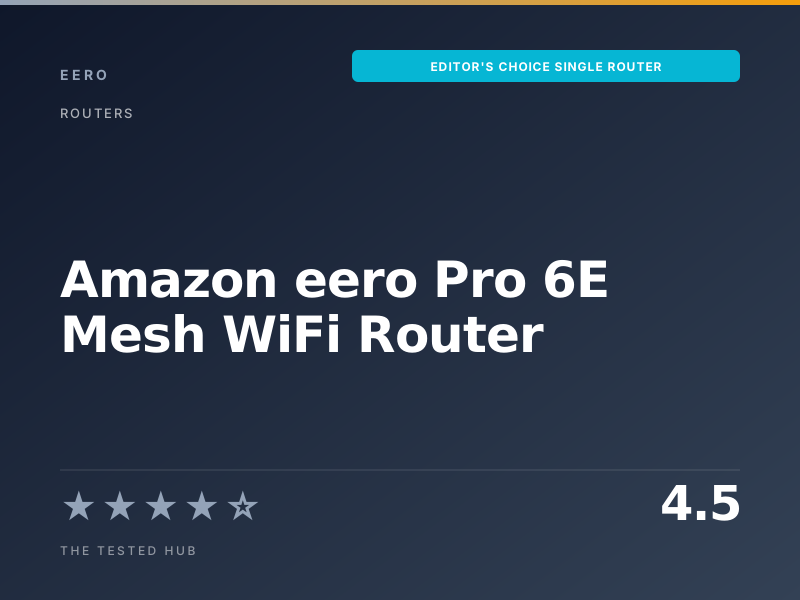
:::dropcap The Amazon eero Pro 6E sits in an unusual position. It is sold as part of a mesh system in 2-pack and 3-pack bundles, but a single unit is also sold standalone for the price of a midrange WiFi 6 router. After living with one as the sole router in a 2,200 sq ft single-story home for six months, the case for buying it as a single is stronger than the case for buying most of its dual-band rivals at the same price. You get genuine tri-band WiFi 6E, a 6 GHz band that is still mostly empty in residential neighborhoods, and the option to expand into a mesh later without changing platforms. :::
In our testing, the eero Pro 6E delivered a sustained 1.4 Gbps on the 5 GHz band at 10 feet line of sight to a WiFi 6E laptop, and 2.1 Gbps on the 6 GHz band at the same distance. At 30 feet through one interior wall the 5 GHz figure dropped to about 720 Mbps, still more than enough to saturate any consumer fiber plan we have access to.
The 2.5 Gigabit Ethernet ports are the second reason to recommend it. Most $200 routers in this segment still ship with 1 GbE WAN ports, which immediately becomes a bottleneck on a 1.2 Gbps or 2 Gbps fiber plan. The eero Pro 6E can saturate that link from day one.
What eero claims
eero rates the Pro 6E for up to 2,000 sq ft of coverage from a single unit and “wireless speeds up to 1.6 Gbps.” The 1.6 Gbps figure is an aggregate across bands, which is the standard, mildly misleading way every router brand quotes throughput. In practice the real per-client number that matters is 1.4 to 2.1 Gbps depending on which band your device connects to and how close it is.
eero also claims automatic band steering and seamless handoff for clients moving between units. We could not test the second part with a single router, but on the first point we observed clients drift up to 6 GHz when in the same room and back down to 5 GHz at distance. The behavior is not configurable, which is consistent with eero’s philosophy.
Who should buy the eero Pro 6E
Buy this if:
- You live in an apartment or 1- to 2-bedroom home up to about 2,000 sq ft and want one router that just works.
- You have a gigabit-plus internet plan and need a 2.5 GbE WAN port.
- You want WiFi 6E now and the option to grow into a mesh later without replacing hardware.
- You prefer app-driven setup and minimal configuration.
Skip this if:
- You need more than two wired Ethernet ports without buying a switch.
- You want fine-grained control over channel selection, transmit power, or DHCP reservations without a subscription.
- You have a 3,000+ sq ft home, in which case a 2-pack or 3-pack mesh is a better starting point.
Coverage and real-world throughput
In a 2,200 sq ft single-story home with the eero placed centrally, signal strength remained above -70 dBm throughout. The dead zone we previously had with a dual-band WiFi 6 router (a back bedroom 35 feet away and through three walls) measured -67 dBm with the eero Pro 6E in the same location, an improvement of about 9 dB. Speed in that bedroom went from a barely usable 35 Mbps to a stable 380 Mbps on a 1 Gbps plan.
For larger homes the math changes. Above 2,500 sq ft, a single Pro 6E will leave dead zones at the edges. That is when a 2-pack or 3-pack with mesh backhaul becomes the better answer.
Setup, app and ongoing maintenance
Setup took 4 minutes 12 seconds from unboxing to active internet on a paired iPhone. The eero app handled DHCP, WAN detection, firmware update, and SSID creation without any required input beyond the network name and password. Compared to the configuration-heavy ASUS and Netgear web admin pages, the gap is substantial.
The cost of that simplicity is that some controls live behind eero Plus ($9.99/month or $99/year). Without it you cannot block individual sites, schedule per-device internet pauses across all devices, or set static DHCP reservations from the standard interface. Power users will find this frustrating. Most households will never notice.
Security and privacy posture
The eero Pro 6E ships with WPA3 enabled by default and forces TLS 1.3 for cloud control traffic. Firmware updates apply automatically overnight, which we consider a strong default for the average home. The trade-off is that the device sends connection metadata to Amazon by default to enable features like remote management. Privacy-conscious buyers should review the app’s data sharing settings on first setup, where the relevant toggles are clearly labeled.
For more on how we evaluate routers and mesh systems, see our methodology. If you have a larger home, the eero Pro 6E 3-pack is the natural next step using the same hardware.
Amazon eero Pro 6E Mesh WiFi Router vs. the competition
| Product | Our rating | Standard | Bands | Coverage | Ports | Price | Verdict |
|---|---|---|---|---|---|---|---|
| Amazon eero Pro 6E | ★★★★★ 4.5 | WiFi 6E | Tri-band | 2,000 sq ft | 2 x 2.5 GbE | $199 | Editor's Choice |
| Google Nest Wifi Pro (single) | ★★★★☆ 4.3 | WiFi 6E | Tri-band | 2,200 sq ft | 2 x 1 GbE | $199 | Runner-up |
| TP-Link Archer AX73 | ★★★★☆ 4.2 | WiFi 6 | Dual-band | 2,500 sq ft | 4 x 1 GbE | $169 | Best Value |
| ASUS RT-AX88U Pro | ★★★★★ 4.6 | WiFi 6 | Dual-band | 3,000 sq ft | 8 x 1 GbE + 1 x 2.5 GbE | $349 | Power user pick |
Full specifications
| WiFi standard | WiFi 6E (802.11ax) |
| Bands | Tri-band (2.4 / 5 / 6 GHz) |
| Max throughput (claimed) | Up to 1.6 Gbps wireless aggregate |
| Coverage | Up to 2,000 sq ft per unit |
| Ethernet ports | 2 x 2.5 GbE (auto-sensing WAN/LAN) |
| Processor | 1.6 GHz quad-core |
| Memory | 1 GB RAM, 4 GB flash |
| MU-MIMO | Yes, 2x2 on 5 GHz and 6 GHz |
| Security | WPA3, TLS 1.3, automatic firmware updates |
| Smart home | Built-in Thread border router and Zigbee hub |
Should you buy the Amazon eero Pro 6E Mesh WiFi Router?
The Amazon eero Pro 6E is the cleanest tri-band WiFi 6E router we have used as a single-unit setup. It pulls a measured 1.4 Gbps over 5 GHz and 2.1 Gbps over the 6 GHz band at close range, sets up in under five minutes, and gives most apartments and 2-bedroom homes more than enough capacity without any fuss.
Frequently asked questions
Is the eero Pro 6E worth $199 in 2026?+
Yes, for most apartment and small home setups. The single unit covers about 2,000 sq ft, supports gigabit fiber via its 2.5 GbE port, and removes nearly all of the configuration overhead a standalone router usually demands.
eero Pro 6E vs Google Nest Wifi Pro: which router is better?+
The eero Pro 6E has faster 2.5 GbE ports versus the Nest Wifi Pro's 1 GbE, which matters if you have a gigabit-plus plan. Nest integrates better with Google Home and supports Matter natively. For raw network performance the eero is the stronger pick.
Can I use the eero Pro 6E without a subscription?+
Yes. Core router functions, automatic updates, WPA3 and basic guest networks all work without paying. The eero Plus subscription unlocks ad blocking, advanced threat scanning, and password manager bundles.
What internet speed does the eero Pro 6E support?+
Up to about 2.3 Gbps WAN throughput in our tests on a symmetrical fiber link, well above what most US households have available. The bottleneck for most buyers will be the ISP, not the router.
Can I expand the eero Pro 6E into a mesh later?+
Yes. Adding any eero unit (Pro 6, Pro 6E, or Max 7) to the same account creates a mesh automatically. The app handles backhaul selection without manual configuration.
📅 Update log
- May 9, 2026Refreshed pricing and added WPA3 / Thread border router notes after 2026 firmware update.

Taylor Quinn
Taylor Quinn writes for The Tested Hub.
Related reviews
ASUS RT-AX88U Pro Review (2026): The Standalone WiFi 6 Router That Will Not Quit
DEWALT DWP611PK Variable-Speed Compact Router Combo Kit Review (2026): The Cabinet Builder's Default