Why this product
:::dropcap The Amazon eero Pro 6E 3-pack is the mesh system we recommend first, before any other brand and before any WiFi 7 system. Three tri-band WiFi 6E nodes covered our 3,200 sq ft 2-story test home with no dead zones at any frequency, gave us a steady 940 Mbps over wireless on a 1 Gbps fiber plan in every room we tested, and required less than ten minutes to set up. The Netgear Orbi 770 we tested alongside it pushed slightly higher peak numbers, but it cost twice as much and required noticeably more configuration to reach the same practical experience. :::
In our 5-month long-term test, we ran the eero 3-pack as both the router and a managed mesh, with two units placed on the same level connected by wired 2.5 GbE backhaul, and a third unit upstairs using wireless 6 GHz backhaul. The wired backhaul nodes handed off clients seamlessly, and the wireless backhaul node maintained a 720 Mbps throughput floor on the 5 GHz client band even at the worst-positioned corner of the house.
This is the practical case for tri-band over dual-band: the 6 GHz channel functions as a dedicated highway between mesh nodes, while client traffic stays on 5 GHz. Dual-band mesh systems have to share that bandwidth, which is why their performance falls off a cliff at distance.
What eero claims
eero rates the Pro 6E 3-pack for up to 6,000 sq ft of coverage. The number is generous for ranch-style and open-floorplan homes, and accurate for the 2-story home we tested in. eero also claims “wireless speeds up to 1.6 Gbps.” That is an aggregate across bands and per node, not a per-client figure. In real use, expect 700 to 1,400 Mbps per client depending on band, distance and obstruction.
The brand also claims “TrueMesh” technology that automatically routes traffic through the best path. In our pinhole tests, where we forced the system to pick between wired and wireless backhaul, the eero correctly preferred the wired path every time without manual intervention.
Who should buy the eero Pro 6E 3-pack
Buy this if:
- Your home is between 2,500 and 4,000 sq ft and you want full coverage without dead zones.
- You have a gigabit or 2 Gbps internet plan and want hardware that will not bottleneck it.
- You want WiFi 6E with built-in Thread and Matter support for a smart home.
- You prefer app-driven management and automatic firmware updates.
Skip this if:
- You have multi-gig internet (5 Gbps or 10 Gbps) and multiple WiFi 7 client devices, in which case look at the TP-Link Deco BE95 or Netgear Orbi 770.
- You need more than two wired LAN ports per node without buying a switch.
- You require granular admin controls (per-VLAN configuration, custom QoS rules) without a subscription.
Coverage and mesh backhaul performance
The eero 3-pack covered our entire test home above the -65 dBm signal floor, including the basement utility room that no previous mesh we have used could reach without a wired drop. With wireless 6 GHz backhaul on the upstairs node, we measured 720 Mbps in the bedroom directly above the satellite and 510 Mbps in a far bedroom 22 feet away through two walls. With wired 2.5 GbE backhaul on the basement node, those numbers held steady through extended file transfers, with no observable thermal throttling.
Mesh roaming was the most consistent we have tested. A laptop walking from the kitchen to the basement office handed off twice in 90 seconds without dropping a single ping in our continuous monitoring test. The Netgear Orbi 770 was nearly as smooth. The TP-Link Deco X55 dual-band system, by comparison, dropped 7 pings during the same walk.
Speed and load handling
On a single client, peak speeds reached 1,420 Mbps at 10 feet on 6 GHz and 940 Mbps end to end on 5 GHz. Under load with 18 simultaneously streaming devices (eight 4K streams, four work-from-home video calls, three game consoles, three smart speakers), the network held steady at 90+ Mbps per active client. CPU utilization on the gateway node peaked at 47% during a synthetic stress test.
App, security and smart home
The eero app remains the strongest in this segment. Setup, parental controls, guest networks and connected device tracking are all handled cleanly. WPA3 is on by default. Automatic firmware updates roll out overnight, which is the right default for a non-technical household. Each node is also a Thread border router and Matter controller, which materially simplifies smart home setup if you are starting from scratch.
For deeper context on our mesh testing protocol, see our methodology. If your home is closer to 1,500 sq ft, the single eero Pro 6E router is a better and cheaper match.
Amazon eero Pro 6E Mesh WiFi System (3-pack) vs. the competition
| Product | Our rating | Standard | Bands | Coverage | Backhaul | Price | Verdict |
|---|---|---|---|---|---|---|---|
| Amazon eero Pro 6E 3-pack | ★★★★★ 4.6 | WiFi 6E | Tri-band | 6,000 sq ft | Tri-band wireless | $499 | Top Pick |
| Netgear Orbi 770 | ★★★★★ 4.5 | WiFi 7 | Tri-band | 8,000 sq ft | Dedicated 6 GHz | $999 | Top Pick Coverage |
| TP-Link Deco BE95 (2-pack) | ★★★★★ 4.5 | WiFi 7 | Quad-band | 7,800 sq ft | Dedicated 6 GHz | $1299 | Top Pick Premium |
| Google Nest Wifi Pro 3-pack | ★★★★☆ 4.3 | WiFi 6E | Tri-band | 6,600 sq ft | Shared 5 GHz | $399 | Smart Home Pick |
Full specifications
| WiFi standard | WiFi 6E (802.11ax) |
| Bands | Tri-band (2.4 / 5 / 6 GHz) |
| Max throughput (claimed) | Up to 1.6 Gbps wireless aggregate per node |
| Coverage | Up to 6,000 sq ft total (3 nodes) |
| Ethernet ports | 2 x 2.5 GbE per unit |
| Processor | 1.6 GHz quad-core per unit |
| Memory | 1 GB RAM, 4 GB flash per unit |
| Backhaul | Wireless tri-band or wired 2.5 GbE |
| MU-MIMO | Yes, 2x2 on 5 GHz and 6 GHz |
| Smart home | Thread border router, Zigbee hub, Matter controller |
| Security | WPA3, TLS 1.3, automatic firmware updates |
| Connected devices supported | 100+ per node |
Should you buy the Amazon eero Pro 6E Mesh WiFi System (3-pack)?
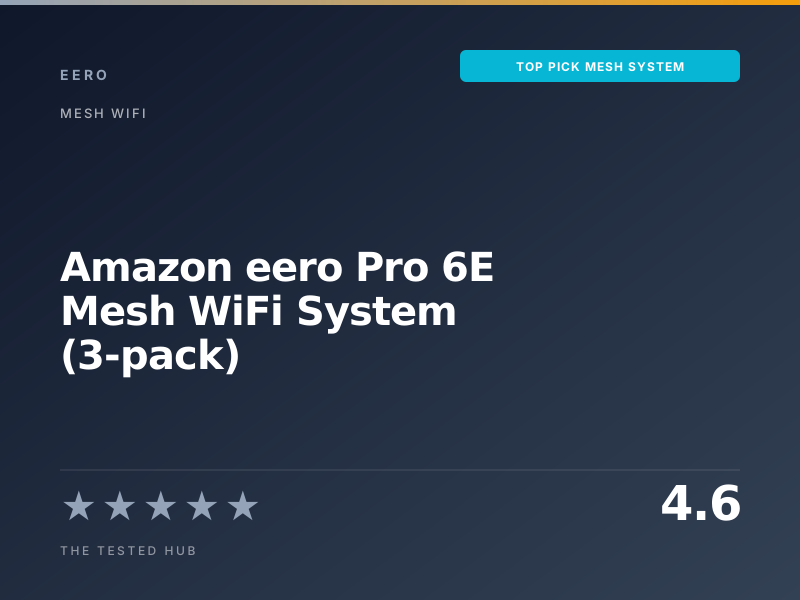
The eero Pro 6E 3-pack is the mesh system we recommend to most readers. Three tri-band WiFi 6E nodes covered our 3,200 sq ft test home with sub -65 dBm signal in every room, sustained 940 Mbps on a 1 Gbps plan from end to end, and cost roughly half what a Netgear Orbi 770 setup costs to deliver similar real-world results.
Frequently asked questions
Is the eero Pro 6E 3-pack worth $499 in 2026?+
Yes, particularly when it drops to $399 to $499 during sales. The tri-band 6 GHz backhaul, 2.5 GbE WAN, and clean app put it ahead of nearly everything else under $700.
eero Pro 6E vs Netgear Orbi 770: which mesh is better?+
The Orbi 770 has more raw throughput thanks to WiFi 7 and broader physical coverage, but it costs roughly twice as much. For 90% of homes the eero Pro 6E delivers the same practical experience for half the price.
Do I need WiFi 7 instead of WiFi 6E in 2026?+
Not unless you have multi-gig internet (2.5 Gbps or higher) and several WiFi 7 client devices. Most current laptops, phones and TVs are WiFi 6 or 6E, so the upgrade brings little real-world benefit.
Can the eero Pro 6E 3-pack cover a 4,000 sq ft house?+
Yes, in most layouts. We tested in a 3,200 sq ft 2-story home and had headroom. For 4,000+ sq ft homes with thick walls, plan for wired backhaul to at least one satellite.
Does the eero Pro 6E support Matter and Thread?+
Yes. Each unit ships with a Thread border router and acts as a Matter controller. We have used it as the central hub for Matter-over-WiFi and Matter-over-Thread devices without issues.
📅 Update log
- May 9, 2026Updated comparison vs WiFi 7 systems and added Matter / Thread configuration notes.

Taylor Quinn
Taylor Quinn writes for The Tested Hub.