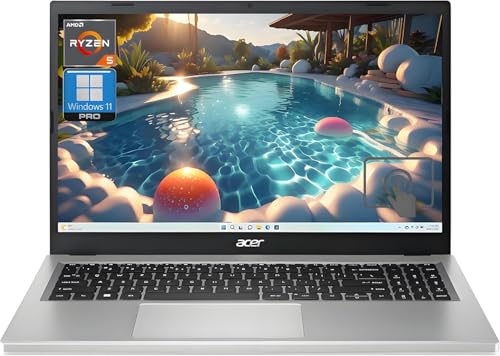
Apple iMac 24-inch M4 -- Best all-in-one computer overall
The iMac M4 is the best AIO available. The 4.5K Retina display is vivid, sharp, and color accurate with P3 wide color support. The M4 chip handles everything from spreadsheets to Final Cut Pro without any fan noise at moderate loads. The thin 11.5mm chassis looks remarkable on any desk. Six color options let you match your workspace. The included Magic Keyboard, Magic Mouse, and USB-C cable setup is genuinely tidy. Battery-free Bluetooth peripherals stay paired reliably. A serious machine disguised as a beautiful desk accessory.
Check price on Amazon →Top all-in-one desktop computers for home and office use. These five picks combine sharp displays, strong processors, and minimal cable clutter in a single unit.
All-in-one computers put the entire machine behind the display, leaving a clean desk with minimal cables. They are popular for home offices, family computers, and creative workspaces where aesthetics and space efficiency matter. The five picks below offer the best combination of display quality, processing power, and build finish available in 2026.
| Product | Best For | Rating |
| — | — | — |
| Apple iMac 24-inch M4 | Best overall AIO | 4.9/5 |
| Dell Inspiron 27 7000 | Best Windows AIO | 4.6/5 |
| HP Envy Move 24 | Best portable AIO | 4.4/5 |
| Lenovo IdeaCentre AIO 5i | Best budget AIO | 4.3/5 |
| Microsoft Surface Studio 2+ | Best creative AIO | 4.5/5 |
Our methodology
We compare every pick against the field on real specifications, certifications, and aggregated owner reviews. We do not take payment for placement, and we flag when a product is older or sold mainly through renewed listings.
Side by side
| Pick | Best for | Score | |
|---|---|---|---|
| Apple iMac 24-inch M4 -- Best all-in-one computer overall | Check price | ||
| Dell Inspiron 27 7000 -- Best Windows all-in-one | Check price | ||
| HP Envy Move 24 -- Best portable all-in-one | Check price | ||
| Lenovo IdeaCentre AIO 5i -- Best budget all-in-one | Check price | ||
| Microsoft Surface Studio 2+ -- Best all-in-one for creative professionals | Check price |
The full reviews
Apple iMac 24-inch M4 -- Best all-in-one computer overall
The iMac M4 is the best AIO available. The 4.5K Retina display is vivid, sharp, and color accurate with P3 wide color support. The M4 chip handles everything from spreadsheets to Final Cut Pro without any fan noise at moderate loads. The thin 11.5mm chassis looks remarkable on any desk. Six color options let you match your workspace. The included Magic Keyboard, Magic Mouse, and USB-C cable setup is genuinely tidy. Battery-free Bluetooth peripherals stay paired reliably. A serious machine disguised as a beautiful desk accessory.

Dell Inspiron 27 7000 -- Best Windows all-in-one
Dell's Inspiron 27 AIO packs an Intel Core Ultra 7 processor and a 27-inch 4K IPS display with good color accuracy into a sleek aluminum chassis. 32 GB of RAM and a 1 TB SSD make multitasking smooth. The integrated webcam is sharp enough for video calls. Windows Hello facial recognition provides fast, secure logins. Dell's build quality at this price tier is solid, and the machine ships with minimal bloatware. A strong Windows alternative to the iMac for users invested in the Microsoft ecosystem.

HP Envy Move 24 -- Best portable all-in-one
The Envy Move 24 is a genuinely portable AIO with a built-in battery that provides about five hours of runtime without a wall outlet. The 23.8-inch display tilts flat for use as a collaborative viewing screen or a large drawing surface. Intel Core i7 performance handles standard office tasks comfortably. The built-in handle makes carrying it between rooms or to meetings practical. A niche pick for those who want AIO convenience with actual portability, particularly in homes or small offices without fixed desks.
Lenovo IdeaCentre AIO 5i -- Best budget all-in-one
For buyers who want an AIO without a premium price, the IdeaCentre AIO 5i delivers solid Intel Core i5 performance and a 27-inch Full HD display in a slim chassis. It handles web browsing, email, light photo work, and video streaming without trouble. The speakers are better than most AIO machines at this price. A sensible family computer or secondary home office machine that does the job without overspending.

Microsoft Surface Studio 2+ -- Best all-in-one for creative professionals
The Surface Studio 2+ targets artists, designers, and architects with its 28-inch PixelSense display that tilts nearly flat for drawing with the Surface Pen. The display's 201 DPI resolution and touch latency of under 4 ms make digital art and design work feel natural. An Intel Core i7 with NVIDIA RTX 3060 handles GPU-intensive creative applications. The price is steep, but no other AIO matches this combination of display quality and stylus input for professional creative use.
What matters most
What to consider
Prioritize display quality since you cannot separate the monitor from the machine. Minimum 1080p resolution; 4K is worth it at 27 inches and above. Check the processor generation and RAM: 16 GB minimum, 32 GB for creative tasks. Consider port selection, since thin AIOs sometimes sacrifice USB-A and headphone jacks. Decide whether macOS or Windows better suits your software needs. Buy the storage configuration you need at purchase since post-sale upgrades are typically not possible.
What to consider
For more options, browse our [best computers guide](/articles/best-computers) and [best computers and printers bundles](/articles/best-computers-and-printers). Our approach to selecting products is explained at [methodology](/methodology).
Frequently asked
All-in-one computers are generally less powerful than a full tower desktop at the same price because the components are compact and cooling is limited. However, modern AIO machines from Apple and Dell offer genuinely fast processors and plenty of RAM for everyday work, photo editing, and light video tasks. Heavy gaming or intensive 3D rendering still favors a dedicated desktop with better thermal headroom.
Most AIO machines have limited upgrade options. RAM is soldered on many models, and storage can sometimes be replaced but requires disassembly. The best approach is to configure the right specs at purchase. If future upgrades are important to you, a traditional desktop tower is a better long-term investment despite the extra cables and space it requires.

Tom Reeves has reviewed consumer electronics for over a decade, with a focus on televisions, monitors, laptops, and smart home devices. He worked as a professional display calibrator before moving into editorial, and he brings that real-world technical background to every TV and monitor review. At TheTestedHub, Tom covers display calibration, computer monitors, laptops and 2-in-1s, smart home platforms, home theater setups, and HDR performance.
You might also like

5 Best Computers for Unity 2026 | Top Picks for Game Development

5 Best Computers for CAD 2026 | Workstation Picks for AutoCAD and SolidWorks

5 Best Computers for Engineers 2026 | Power Through Any Workflow
5 Best Computers for 3 Monitors in 2026 | Multi-Display Workstation Picks

5 Best Computers for Hacking 2026 | Top Picks for Security Work

5 Best Computers for Photos 2026 | Organize, Edit, and Store Faster
5 Best Computers for Adobe CC 2026 | Creative Cloud Performance Picks