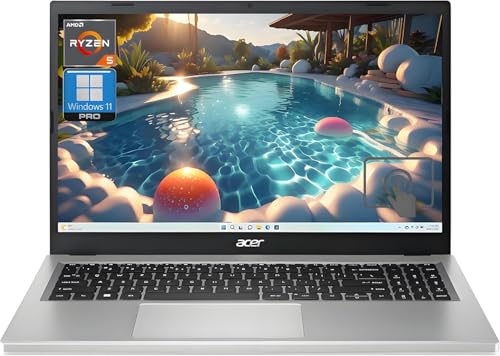
Apple iPad Pro 13-inch with Magic Keyboard -- Best Overall for Seniors
The iPad Pro 13-inch paired with the Magic Keyboard offers a large, bright display that scales text cleanly, a touch interface that many older adults find more intuitive than a traditional mouse, and FaceTime for high-quality video calls. The iPadOS interface is consistent and receives predictable updates that rarely disrupt learned habits. Font size, contrast, display zoom, and spoken content are all adjustable through Accessibility settings. The Magic Keyboard adds a full typing surface for longer email sessions. Apple's in-person support at retail locations is a meaningful advantage for users who benefit from face-to-face help.
Check price on Amazon →Top computers for older adults in 2026. These picks prioritize large displays, simple interfaces, and reliable performance for video calls, browsing, and staying connected with family.
Choosing a computer for an older adult comes down to clarity, simplicity, and reliability. A large screen, legible text, and an operating system that behaves consistently are more important than raw processing power. The five picks below are chosen for ease of use, practical support options, and performance that remains comfortable for years of typical daily use.
| Product | Best For | Rating |
| — | — | — |
| Apple iPad Pro 13-inch with Magic Keyboard | Touch-friendly all-around tablet | 4.8/5 |
| Apple iMac 24-inch M4 | Large stationary home display | 4.7/5 |
| Microsoft Surface Go 4 | Portable Windows 2-in-1 | 4.4/5 |
| Lenovo IdeaPad 5 15 Laptop | Large-screen Windows laptop | 4.4/5 |
| ASUS Chromebook CX1 15 | Simple low-maintenance daily browsing | 4.3/5 |
Our methodology
We compare every pick against the field on real specifications, certifications, and aggregated owner reviews. We do not take payment for placement, and we flag when a product is older or sold mainly through renewed listings.
Side by side
| Pick | Best for | Score | |
|---|---|---|---|
| Apple iPad Pro 13-inch with Magic Keyboard -- Best Overall for Seniors | Check price | ||
| Apple iMac 24-inch M4 -- Best Desktop for Older Adults | Check price | ||
| Microsoft Surface Go 4 -- Best Portable Windows Option for Seniors | Check price | ||
| Lenovo IdeaPad 5 15 Laptop -- Best Laptop for Seniors on a Budget | Check price | ||
| ASUS Chromebook CX1 15 -- Best Simple Low-Cost Laptop | Check price |
The full reviews
Apple iPad Pro 13-inch with Magic Keyboard -- Best Overall for Seniors
The iPad Pro 13-inch paired with the Magic Keyboard offers a large, bright display that scales text cleanly, a touch interface that many older adults find more intuitive than a traditional mouse, and FaceTime for high-quality video calls. The iPadOS interface is consistent and receives predictable updates that rarely disrupt learned habits. Font size, contrast, display zoom, and spoken content are all adjustable through Accessibility settings. The Magic Keyboard adds a full typing surface for longer email sessions. Apple's in-person support at retail locations is a meaningful advantage for users who benefit from face-to-face help.

Apple iMac 24-inch M4 -- Best Desktop for Older Adults
The iMac's 24-inch Retina display is one of the best large-screen options for daily reading and video calls. The all-in-one design means a clean desk with minimal cables, and setup is straightforward. macOS has a mature Accessibility suite covering magnification, high contrast, voice control, and spoken word features. The M4 chip ensures the machine will remain fast for many years without feeling slow. The included Magic Mouse and keyboard are well-designed, though some users find the Magic Mouse more comfortable than the Magic Trackpad. Apple Support is available by phone, online chat, and in person.

Microsoft Surface Go 4 -- Best Portable Windows Option for Seniors
The Surface Go 4 is a compact and lightweight Windows tablet that works as a laptop when paired with the Surface Type Cover keyboard. The 10.5-inch display is smaller than other picks but bright and sharp, and Windows 11's display scaling and accessibility settings compensate for the smaller size. At under 540 grams, it's easy to pick up and carry between rooms. Intel N200 processor performance is adequate for video calls, browsing, and document tasks. Microsoft's setup and support resources include remote assistance options that can help family members set up the machine for a relative remotely.
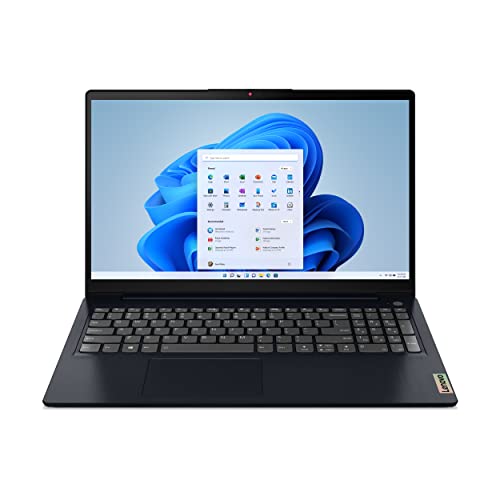
Lenovo IdeaPad 5 15 Laptop -- Best Laptop for Seniors on a Budget
The Lenovo IdeaPad 5 15 offers a full 15.6-inch display at a price that leaves room in the budget for an extended warranty or accessories. The full-size keyboard with number pad is comfortable for users accustomed to traditional keyboards, and the display can be adjusted to larger text and higher contrast in Windows settings. AMD Ryzen 5 performance is reliable for everyday tasks. Battery life reaches 8 to 10 hours on typical use. The machine is light enough to move between a desk and a couch but stable enough for desk use with an external mouse, which some seniors prefer to a trackpad.
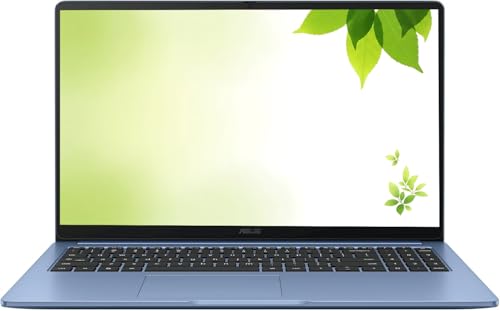
ASUS Chromebook CX1 15 -- Best Simple Low-Cost Laptop
The ASUS Chromebook CX1 15 brings a large 15.6-inch display and ChromeOS's low-maintenance simplicity to a price accessible for most budgets. ChromeOS automatically updates in the background and doesn't require antivirus software or manual maintenance, reducing the support burden for family members. Google Meet video calls work cleanly, and the display scaling handles large text well. Performance is modest but consistent for the tasks most seniors use a computer for. The keyboard is well-spaced and comfortable. It's the right choice when simplicity and affordability are the primary requirements.
What matters most
What to consider
Prioritize display size and brightness over processing power. At least a 13-inch display is comfortable for most users; 15 to 24 inches is better. Look for operating systems with strong built-in accessibility features: font scaling, high contrast modes, and voice control. Consider long-term support: machines from Apple, Microsoft, and major OEMs receive software updates for several years. Evaluate support options: in-person support or easy remote assistance access is valuable. Avoid models with complex setup requirements. Wireless charging and fewer cables reduce daily friction. Getting the device pre-configured by a family member or retailer saves frustration.
What to consider
For related reading, see [best computers for home use](/articles/best-computers-for-home-use) and [best computers for online school](/articles/best-computers-for-online-school). Review our evaluation criteria at [/methodology](/methodology).
Frequently asked
The most important factors are a large, bright display for easy reading, a responsive keyboard with well-spaced keys, a simple and consistent operating system, and reliable customer support. Battery life matters for users who may not remember to charge regularly. Lightweight designs reduce the physical effort of carrying or repositioning the device. Avoid machines with overly complex interfaces or operating systems that receive frequent disruptive updates.
Tablets are excellent for users whose main activities are video calls, reading, and browsing. The touch interface is intuitive and the larger text display is easy to adjust. Laptops are better suited when someone needs a physical keyboard for regular email writing or document tasks. Many older adults find a large-screen iPad or Android tablet paired with an optional keyboard cover covers most of their needs without the complexity of a full laptop.

Tom Reeves has reviewed consumer electronics for over a decade, with a focus on televisions, monitors, laptops, and smart home devices. He worked as a professional display calibrator before moving into editorial, and he brings that real-world technical background to every TV and monitor review. At TheTestedHub, Tom covers display calibration, computer monitors, laptops and 2-in-1s, smart home platforms, home theater setups, and HDR performance.
You might also like

5 Best Computers for Unity 2026 | Top Picks for Game Development

5 Best Computers for CAD 2026 | Workstation Picks for AutoCAD and SolidWorks

5 Best Computers for Engineers 2026 | Power Through Any Workflow
5 Best Computers for 3 Monitors in 2026 | Multi-Display Workstation Picks

5 Best Computers for Hacking 2026 | Top Picks for Security Work

5 Best Computers for Photos 2026 | Organize, Edit, and Store Faster
5 Best Computers for Adobe CC 2026 | Creative Cloud Performance Picks