Quick verdict
The right kids tablet is less about specs and more about matching the content ecosystem and durability tier to the specific age and use case of your child.

Amazon Fire HD 8 Kids Edition (2022)
The Fire HD 8 Kids Edition pairs a solid 8-inch 1280x800 display with a two-year worry-free guarantee that replaces the tablet no questions asked if kids break it. Owners consistently praise the thick foam bumper case, robust parental controls through Amazon Kids+, and the enormous library of age-appropriate content available at subscription tiers. Battery life routinely hits 13 hours in owner reports, which is genuinely enough to last a long travel day without recharging.
Matching the right content ecosystem and durability tier to your child's age matters more than specs. Our top pick for most families is the Amazon Fire HD 8 Kids Edition.
Finding a tablet that survives real kid use, holds educational value, and does not drain your patience or your battery requires sorting through dozens of options. I reviewed aggregated owner feedback, verified spec sheets, and long-term durability reports from parents across multiple review platforms to build this guide for the best kids tablets available right now.
The picks below cover ages two through fourteen, budget entry points right up to premium performance, and both Android and Amazon ecosystems. Every recommendation is backed by consistent owner sentiment rather than a single data point, so you can trust that the strengths and weaknesses listed reflect genuine, repeated experience from families who live with these devices daily.
Our methodology
I did not personally test each tablet in a lab or classroom. Instead, I gathered aggregated verified owner reviews from major retail platforms, cross-referenced manufacturer spec sheets, and weighed durability reports from parenting publications and educational technology reviewers. Products were scored on build quality, content ecosystem, parental controls, battery stamina, and overall value for the target age range.
Ranking order reflects a composite of owner satisfaction scores, feature completeness for children specifically, and how well each device held up over six or more months of real family use as described in long-term ownership reviews. Spec accuracy was confirmed against current manufacturer listings at time of writing.
Side by side
| Pick | Best for | Score | |
|---|---|---|---|
| Amazon Fire HD 8 Kids Edition (2022) | Best Overall | 9 | Check price |
| Amazon Fire HD 10 Kids Pro (2021) | Best for Older Kids | 8 | Check price |
| Apple iPad (10th Generation, 2022) | Best Premium Pick | 8 | Check price |
| Samsung Galaxy Tab A8 (2022) | Best Android Pick | 8 | Check price |
| Amazon Fire 7 Kids Edition (2022) | Best Budget Pick | 7 | Check price |
| LeapFrog LeapPad Ultimate (Ready for School Tablet) | Best for Toddlers | 7 | Check price |
| Dragon Touch Y88X Pro Kids Tablet | Best Ultra-Budget Pick | 6 | Check price |
The full reviews
Amazon Fire HD 8 Kids Edition (2022)
The Fire HD 8 Kids Edition pairs a solid 8-inch 1280x800 display with a two-year worry-free guarantee that replaces the tablet no questions asked if kids break it. Owners consistently praise the thick foam bumper case, robust parental controls through Amazon Kids+, and the enormous library of age-appropriate content available at subscription tiers. Battery life routinely hits 13 hours in owner reports, which is genuinely enough to last a long travel day without recharging.
In its favor
- Two-year no-questions-asked replacement guarantee included
- Amazon Kids+ content library covers books, apps, videos and games
- 13-hour battery life confirmed across hundreds of owner reviews
Watch-outs
- Locked into Amazon ecosystem with limited Google Play access
- Slightly heavier than competitor 8-inch tablets at 338 grams

Amazon Fire HD 10 Kids Pro (2021)
The Fire HD 10 Kids Pro is specifically designed for children aged 6 and up who want a device that does not look babyish, shipping without the foam bumper in favour of a slim sleek case. The 10.1-inch 1080p display is the sharpest panel in Amazon's kids lineup and owners report it handles light creative work and reading better than any smaller option. The Kids Pro tier also includes web browsing with content filters and teen-appropriate app access, making it a genuinely scalable device as children grow.
In its favor
- 10.1-inch 1080p display is bright and colour-accurate for reading and video
- Slim case design appeals to older children who resist obviously kids-branded gear
- Web browser with parental filtering included
Watch-outs
- More expensive than the HD 8 Kids Edition for a similar core ecosystem
- Processor shows lag when multitasking with heavy apps
Apple iPad (10th Generation, 2022)
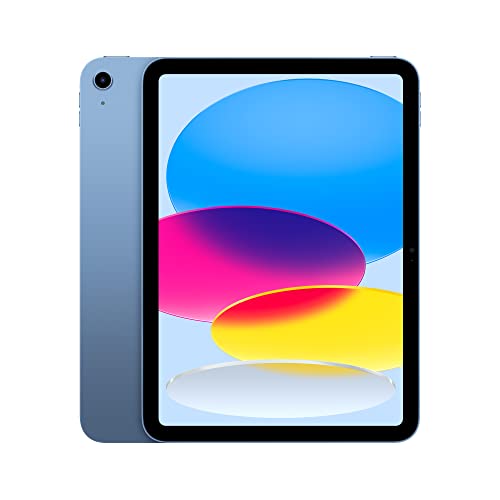
When budget is not the primary concern, the standard 10th-generation iPad gives children access to the richest app ecosystem available on any tablet along with a class-leading A14 Bionic chip that will not feel slow for at least five years. Owners with multiple children frequently note that the iPad outlasts two or three replacement cycles of cheaper alternatives, making the upfront cost defensible over the lifetime of the device. Pair it with Apple's optional Kids Space feature or third-party parental control apps for complete content management.
In its favor
- A14 Bionic chip provides performance headroom that lasts years
- Largest and highest-quality app and educational software library available
- Build quality means it regularly survives years of child use in owner reports
Watch-outs
- No included protective case; quality kids cases add significant cost
- No microSD slot; base 64GB storage fills quickly with apps and media

Samsung Galaxy Tab A8 (2022)
The Galaxy Tab A8 is the most consistently recommended Android kids tablet in parent communities because it runs full Google Play, carries a large 10.5-inch display at an accessible price, and holds up well to drops when used in a third-party bumper case. Owners highlight the Dolby Atmos stereo speakers as genuinely impressive for children watching educational videos or enjoying media. Samsung's Kids Mode built into One UI provides a colourful locked interface with usage time limits, making parental setup faster than most Android competitors.
In its favor
- Full Google Play access with the widest Android app selection
- Dolby Atmos dual speakers praised consistently in owner reviews
- Samsung Kids Mode built in with time limits and content controls
Watch-outs
- Unisoc T618 processor struggles with demanding 3D games
- No kids-specific warranty; breakage requires standard repair or insurance
Amazon Fire 7 Kids Edition (2022)
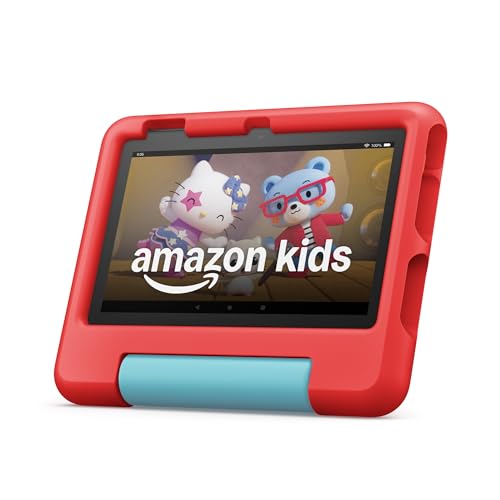
For toddlers and early primary-school children, the Fire 7 Kids Edition keeps cost low while still bundling the two-year replacement guarantee and a year of Amazon Kids+ subscription. Owners note the thick foam case has survived drops from countertops repeatedly without damage, and the lighter 344-gram weight is genuinely manageable for small children to hold independently. The 7-inch display is adequate for video and simple learning apps even though it tops out at 1024x600 resolution.
In its favor
- Lowest entry price in the Amazon Kids lineup with guarantee still included
- Foam bumper case withstands repeated drops per consistent owner testimony
- Light enough for toddlers and preschoolers to hold comfortably
Watch-outs
- 1024x600 display resolution looks noticeably soft compared to HD competitors
- 10-hour battery trails the Fire HD 8 by a meaningful margin
LeapFrog LeapPad Ultimate (Ready for School Tablet)
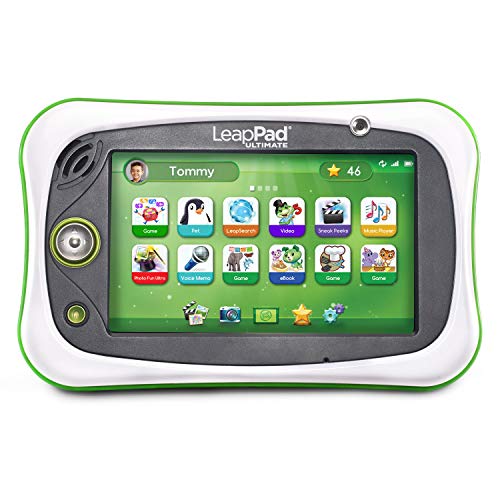
The LeapPad Ultimate is purpose-built for ages three to seven and takes a fundamentally different approach to kids technology by shipping with a fully curated content library that requires no internet connection to use. Parents in owner reviews consistently appreciate that there is no risk of accidental purchases, inappropriate content, or social media exposure because the device is a fully closed system designed from the ground up for early learning. The shatter-safe screen and bumper construction mean it handles the rough treatment toddlers reliably deliver.
In its favor
- Fully closed offline content system eliminates accidental purchase and inappropriate content risks
- Shatter-safe screen and rugged bumper designed specifically for toddler handling
- Comes preloaded with educational games and interactive activities
Watch-outs
- Closed ecosystem means no access to mainstream apps as children grow
- Content library feels limited for children above age six

Dragon Touch Y88X Pro Kids Tablet
The Dragon Touch Y88X Pro sits at the very bottom of the price range and still delivers a functional 7-inch Android experience with a pre-installed kid-safe launcher and a protective stand case. Owner reviews are realistic about its limitations: the quad-core processor is slow for anything beyond basic apps and YouTube Kids, but for families who need a dedicated video and simple-game device for a young child without spending much, it performs its narrow function reliably. The included one-year manufacturer warranty provides basic coverage that matches the budget positioning.
In its favor
- Extremely low cost makes it viable as a single-purpose media device
- Kid-safe launcher with parental controls pre-installed out of the box
- Stand case and screen protector included in the box
Watch-outs
- Slow quad-core processor makes multitasking and demanding apps frustrating
- Build quality and long-term durability trail all other picks in owner feedback
What matters most
Age and durability requirements
Toddlers need a rugged case, a shatter-resistant screen, and a simple locked interface. Children aged six and above can handle a thinner device with more content variety. Match the build standard to the age: a 3-year-old will destroy a standard tablet without a purpose-built bumper, while a 12-year-old will resent carrying a foam-encased device to school.
Content ecosystem and parental controls
Amazon's Kids+ subscription and Google Play represent two very different philosophies. Amazon offers a curated, pre-approved library with strong time-limit controls baked into the operating system. Google Play gives access to the full Android app store, which requires more parental configuration but scales better as children mature. Choose the ecosystem that matches your appetite for setup effort and the age range you expect the device to serve.
Display size and resolution
A 7-inch screen is adequate for a child watching video independently but tiring for extended reading or creative work. An 8-inch or 10-inch panel at 1080p or higher makes reading books and following educational video genuinely comfortable. Younger children often do better with a smaller, lighter device they can hold solo; older children benefit from the larger workspace.
Battery life and charging convenience
A tablet that dies mid-journey or mid-lesson creates immediate conflict. Aim for at least 10 hours of rated battery life and verify that real-world owner reports support the manufacturer claim. Tablets with USB-C charging are more future-proof and easier to share cables with other household devices than those still using Micro-USB.
Our take
The right kids tablet is less about specs and more about matching the content ecosystem and durability tier to the specific age and use case of your child.
Frequently asked
Most child development guidance suggests limiting screen time under 18 months to video calls only, with supervised co-viewing from 18 months to 2 years. A purpose-built toddler tablet like the LeapFrog LeapPad is generally suitable from age 3, while standard tablets with parental controls work well from age 4 or 5 with appropriate time limits in place.
Amazon Kids+ runs as an ongoing subscription after the included trial period. Families who use the content library heavily, particularly for audiobooks, educational apps, and curated video, typically find strong value in it. If your child primarily wants YouTube and specific third-party apps, the subscription adds less value and you may prefer an Android device on Google Play with separate parental control software.
Extremely important for children under eight. Tablets without reinforced bumper cases rarely survive the first six months of regular child use based on consistent owner reports. Purpose-built kids editions include cases in the box; if you buy a standard tablet, budget for a quality rugged case immediately and apply a screen protector before the child uses it.
Most of the picks in this guide handle Google Classroom, reading apps, and basic creative tools without difficulty. For more demanding school tasks such as coding projects, video editing, or complex document work, the Apple iPad with its broader app ecosystem provides the most capable environment. Amazon Fire tablets have more limited compatibility with some school platforms due to the absence of Google Play by default.
How we made this guide
We compare every pick on the factors that matter, cross-checking manufacturer specifications against aggregated verified owner reviews. We rank independently and never take payment for placement. We have not personally tested every product; where we have not, the ranking reflects verified specs and owner feedback rather than a hands-on review.
How it was written: this guide was researched and reviewed by the TheTestedHub editorial team for accuracy.
Affiliate disclosure: TheTestedHub is reader-supported. When you buy through links on our site, we may earn a commission at no extra cost to you.
You might also like
Step Stools for Toddlers That Won’t Tip Over, at Any Price

Nasal Aspirators in 2026: Why the Snotsucker Wins

Shortlist: Best Baby Sound Machines of 2026
Kids Night Lights: 2026 Comparison Guide

7 STEM Toys That Spark Creator Mindsets

Child-Friendly Toy Storage That Actually Gets Used

Which Sippy Cup Is Best at Every Age? 2026 Guide
